First day cover ·
MacBook Pro PROLED XDR: Tandem OLED and Touch Put to the Test
Apple's MacBook Pro with PROLED XDR pairs a tandem OLED panel with touch. Here's how the display is built, how touch behaves and who should care.
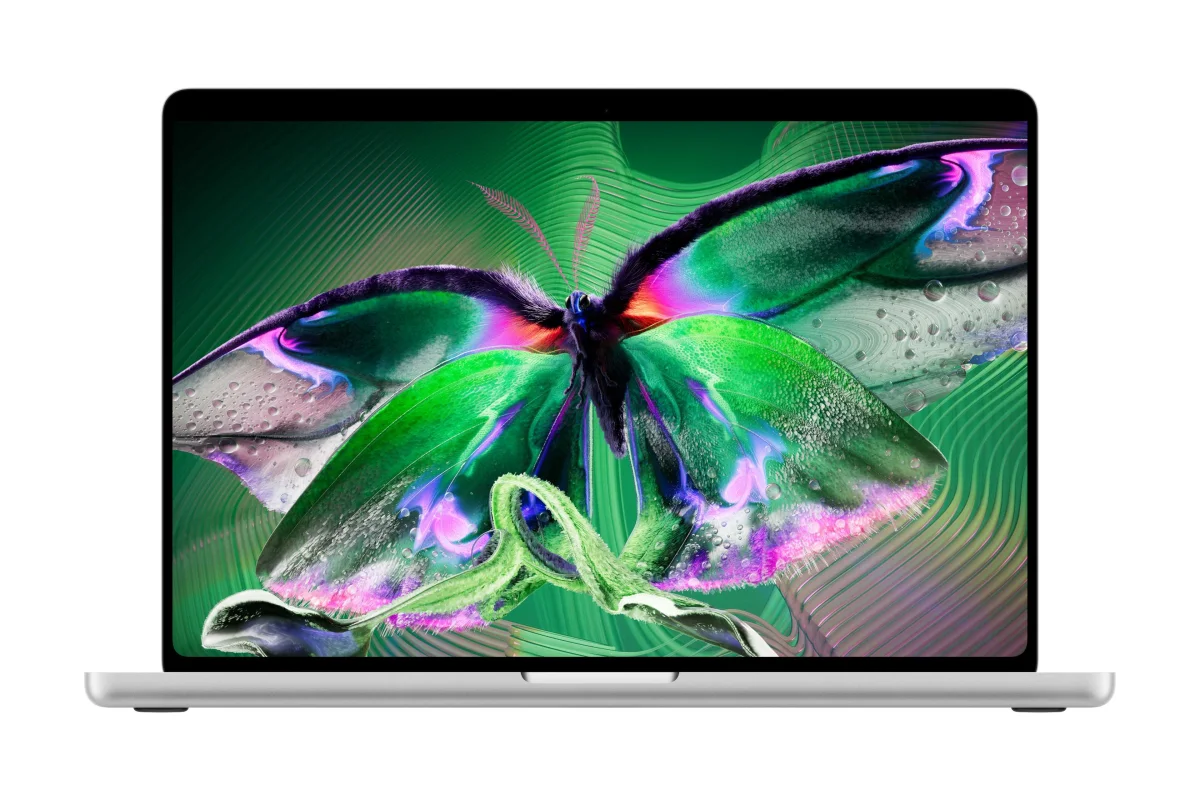
Here's the thing: the MacBook Pro with PROLED XDR is the first MacBook Pro to include touch, and that's the feature everyone wants to talk about. My read is that the display itself, and the chips driving it, will matter more to most buyers. Touch is a useful addition, but the panel is where the real change sits.
How the panel is built
Apple's PROLED XDR display stacks around 50 layers into less than a millimeter of thickness. At the base is a single sheet of glass carrying more than 100 million thin film transistors. Those transistors sit in a layer under 10 microns thick. On top of that backplane come the tandem OLED layers, two stacks that together make up the light-emitting structure, with each layer measured in nanometers to a few hundred nanometers.
Thinness is a deliberate choice. Apple wants the panel as thin as it can make it because a slimmer stack gives the company more control over the OLED technology, and that control shows up in performance. Building it took serious engineering. Apple worked with its display supplier to simulate how OLED molecules evaporate onto the glass, and the team tracks the thickness of each layer as the panel comes off the line. That's a lot of process control for a laptop screen, and it explains why the manufacturing side is as interesting as the spec sheet.
Production starts with large sheets of "mother glass," and each sheet yields about eighty 14-inch panels. After the emissive layers go down, the stack gets optical adhesive and a cover glass. That cover glass carries anti-reflective and fingerprint-resistant coatings. The mechanical, electrical and thermal benefits of those final layers are part of why the panel holds up as well as it does on a machine you'll carry around.
One industry observer I spoke with put the scale in perspective. High-end display fabs are enormous, roughly the size of football stadiums, and they demand the strictest clean-room protocols on the floor. That's not a surprise if you've seen how precise these panels need to be, but it's a reminder of how much infrastructure sits behind a screen that most people never think about.
What the display does for you
Apple describes the panel as reaching up to 2,000 nits of brightness with a 10,000,000:1 contrast ratio. It supports P3, Adobe RGB and DICOM, and Apple says it shows colors at reference quality. That last claim is the one that matters for creators. Reference-grade color used to mean monitors costing around $30,000. Anyone who has worked with an Apple Pro Display XDR knows how much that product changed expectations when it arrived, and this laptop panel brings a similar class of color performance to a portable machine.
The M5 Pro and M5 Max chips in these MacBook Pros include a display engine that controls color and luminance for every pixel in real time. Apple says that's what makes precise color accuracy possible. Each pixel adjusts at sub-millisecond speed, and the refresh rate adapts between 10Hz and 120Hz depending on what's on screen. Lower refresh rates when nothing is moving help with power use, and higher rates keep scrolling and drawing smooth.
Apple also says the display monitors how each pixel is used and adjusts to prolong the panel's life. That's a useful detail for a machine many people will keep for years. If you choose nanotexture glass, the texture is etched directly into the cover glass rather than added as a film on top. Both the nanotexture and standard options share the same fingerprint-resistant coating, so the choice comes down to how you feel about glare and how much diffusion you want in your workflow.
How touch works
The touch sensors are built directly into the display layer, not bonded on as a separate sheet. That integration is why touch feels immediate. In my time with the screen, the response felt instant, with no visible lag between a finger and the element it hit.
Touch creates a mechanical problem on a laptop. Every poke makes the lid wobble. Apple redesigned the hinge to reduce that movement. The engineering term for the wobble is "ring down," meaning the time a screen takes to settle after a touch. I gave the display several firm pokes, and it settled quickly. That's an anecdotal test, not a lab measurement, but it's the kind of thing you notice within a minute of using the machine.
There's a practical side to stability too. If you're on a video call, a shaking screen is distracting for the people on the other end. Apple's answer includes AI-driven video stabilization, which the company developed to take the shake out of camera footage when you touch the display during a call. Whether that's enough for every setup is something I'd want to test over a longer period, but the intent is clear.
Compared with other touch-enabled laptops that use OLED panels, Apple's screen appears to offer higher peak brightness, better shadow and highlight detail, less color shift at off-angles and a steadier image when touched. Those are the comparisons that matter for buyers choosing between rivals, and they're the ones I'd push on in a side-by-side review.
What macOS does with touch
Apple has built most of the touch work into macOS, which means developers don't have to start from scratch. macOS converts touch into clicks automatically, so an app that already works with a mouse or trackpad responds to a tap. System menus expand when touched, which makes small controls easier to hit with a fingertip.
For most apps, touch works about as simply as the trackpad does. Some developers will want to do more, and Apple's new gesture APIs on macOS support deeper optimization for those who need it. Apple's point is that you shouldn't need to buy touch-specific versions of Mac apps, and that's a sensible position for a platform that already has a large software base.
Touch is optional. Pinch-to-zoom and panning respond to your fingers, but the keyboard and trackpad work exactly as they always have. For accessibility, Apple includes full-screen zoom, stylus support (though not Apple Pencil) and an option to turn touch off entirely. That last setting matters if you'd rather keep the display hands-off, and it means the touchscreen can stay out of the way for anyone who doesn't want it.
Touch in pro apps
I didn't get long with the Mac, so my notes on specific apps are limited. A few features stood out:
- In Pixelmator Pro, you can grab and rotate objects directly on the canvas.
- Logic Pro includes an on-screen keyboard and a step sequencer you can operate by touch.
- In Xcode, you can test iOS and iPadOS apps on the Mac's touchscreen, which is useful for developers who want to check touch behavior without a separate device.
All of those features depend on touch, but the processor is doing a lot of the heavy lifting. Apple has claimed that prompt processing for local language models, which matters for agentic coding workflows, is up to 12 times faster on the M5 Pro and M5 Max than on the M1 Pro and M1 Max. I haven't tested that claim, so treat it as Apple's figure until independent results arrive. If it holds up under real workloads, it changes the case for running local AI tools on a laptop.
Who should care
The MacBook Pro with PROLED XDR supports touch, but the power, the performance and the reference-grade, bright display are what set it apart. Color-critical creators stand to gain the most from the panel. Photographers, video editors and designers will notice the difference against older displays. Anyone who works with visuals for a living will see the benefit even if they never tap the screen.
Pricing and availability are straightforward. Pre-orders opened October 28 in 30 countries and regions, and deliveries began November 6. US prices start at $2,899 for the 14-inch M5 Pro model and rise to $4,799 for the 16-inch M5 Max. If you're deciding whether to upgrade, the question is less about whether you want touch and more about whether a brighter, more accurate panel and a faster chip will pay off in your daily work. For creators, the answer is probably yes. For everyone else, it's worth waiting for independent testing before making the call.


