First day cover ·
Apple's Touch-Screen MacBook Pro: Who Actually Needs a Finger on a Mac?
Apple's first touch-screen MacBook Pro starts at $2,899. Hands-on testing shows touch helps in a few specific workflows, but most buyers won't need it.
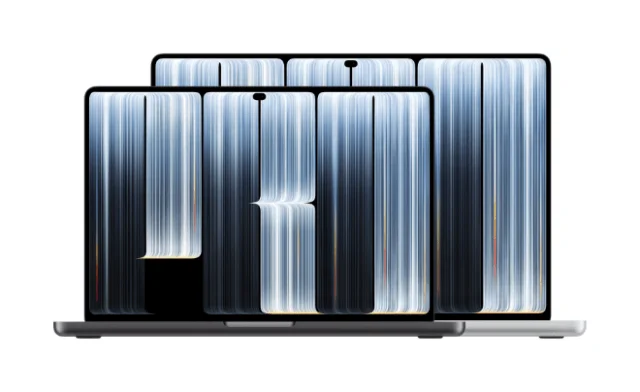
Apple has put touch on a Mac, and the first machine to get it is a $2,899 MacBook Pro that most buyers will never need. Nicole Nguyen of The Wall Street Journal spent a hands-on session with the new laptop in Los Angeles, and her verdict is more measured than the headline news suggests. Touch works well for a handful of tasks. For everything else, the trackpad and keyboard still do the job better.

Where touch earns its place
Nguyen's first instinct was the one most iPhone owners will recognize. She flicked up and down to scroll web pages, pinched to zoom into thumbnails, and tapped headlines to open them. That muscle memory transfers cleanly, and it feels natural in visual work where you're already looking at the content rather than at a cursor.
Maps are the clearest win. Pinching and panning felt quicker than reaching for the trackpad to do the same thing. Video editing showed a similar advantage. Dragging the timeline playhead with a finger is simpler than the trackpad routine of holding a click while swiping, and that's the kind of repetitive action that adds up over a long session.
Here's the thing that might matter most to heavy users. Nguyen noted that someone who spends hours editing video and gets hand cramps from constant trackpad use could find real relief in touch. The bigger everyday benefit, she suggested, is simpler: you stop hunting for the cursor. Standard macOS gestures also carried over. A tap registers as a click, swiping up from the bottom edge brings up the Dock, and flicking a window to the side tiles it.
Where it falls apart
The physics are the problem. A laptop screen sits vertically, and that changes how your body works. Nguyen found arm fatigue set in during general use, and interface targets often felt too small for comfortable tapping. Those two complaints compound each other. A quick tap is fine. A long afternoon of tapping at arm's length is a different proposition.
The hinge also limits creative play. In a demo with an on-screen piano, the display doesn't lie flat, which made playing awkward. The hinge did hold steady when she pressed on it, so the mechanism itself isn't the weak point. The angle is.

There's also the Apple Pencil. The new MacBook Pro doesn't support it, which removes the most obvious path for precise touch-and-draw work. If you were hoping to sketch directly on the screen, this isn't that machine.
Apple has tried something similar before. The Touch Bar, introduced on the MacBook Pro in 2016, put touch controls above the keyboard. Many users found it imperfect, and Apple brought back physical keys in 2021. This new touch screen is a different approach, but it's fair to ask whether it will avoid the same fate. My read is that the Touch Bar's failure teaches a useful lesson: touch needs a clear job, or people stop reaching for it.
Price and the people it's for
At $2,899, the laptop costs about $900 more than the latest entry-level MacBook Pro. Apple is positioning it for what it calls "superusers," the buyers who will pay for a premium machine. Nguyen's read is that the audience most likely to justify that cost is creative professionals, such as photographers and designers, along with developers who want to test touch interactions in their apps.
Context helps here. According to IDC, Windows makers shipped 33.4 million touch-enabled notebooks in 2025, up 22 percent from the year before. Touch has been a fixture on Windows laptops for years, yet only a small share of buyers pay extra for it. Apple's price suggests it expects a similarly small group to want touch on a Mac. For most people, touch-screen Macs will stay a niche option for the foreseeable future.
For buyers weighing an upgrade, the decision comes down to workflow. If your day is mostly writing, spreadsheets and email, touch won't change much, and the money is better spent elsewhere. If you edit video, work in maps, or build touch interfaces, the feature could make specific tasks noticeably faster.
The display is the real story
Touch is the headline, but the screen is the reason to look at this model. Apple describes the panel as PROLED XDR, an OLED display that delivers deeper blacks and higher contrast, with a lineage similar to the technology in iPhone. Nguyen's testing focused on touch, so the image quality claims come from Apple's specifications rather than her measurements. Still, an OLED panel on a Mac would be a meaningful step for anyone who works with photos, video or HDR content.
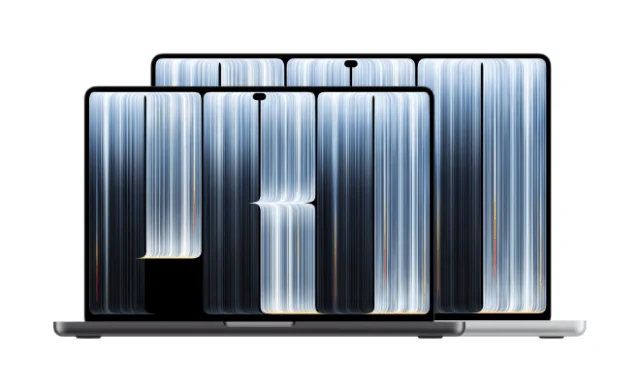
The rest of the update is more conventional but still useful. The laptop gains the Dynamic Island, which gives quick access to background activity. It's roughly half a pound lighter and about a centimeter thinner than the previous Pro model. The glowing Apple logo on the lid also returns.
What this experiment signals
Apple has been rolling out other updates this season, including lower-priced Macs and an OLED iPad mini. The touch-screen MacBook Pro stands apart from those launches. It reads as a high-end experiment, and Apple is using it to find out whether a finger-friendly screen belongs on a Mac at all.
That question is still open. Steve Jobs famously argued that touch surfaces don't belong in a vertical position, saying that users tire quickly and that the arrangement is ergonomically poor. Nguyen's testing supports the fatigue concern for general use, but it also shows that specific jobs benefit from touch. Whether Apple can make those jobs compelling enough to justify a vertical touch screen is the question to watch. If the feature proves useful, expect it to show up on more machines over time. If it doesn't, it'll remain a niche option for editors and developers who need it.


