First day cover ·
Apple's MacBook Pro Gets an OLED Panel and Touch, Starting at $2,899
Apple's 14- and 16-inch MacBook Pro adds a tandem OLED PROLED XDR display, Touch and M5 Pro or M5 Max chips. Preorders are open now, with sales from November 6.
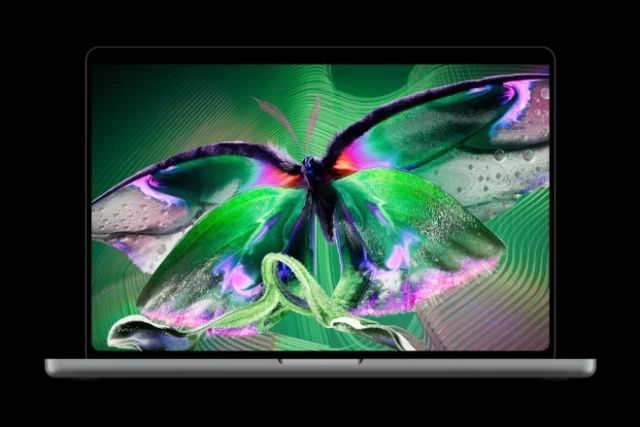
Apple has put an OLED panel and touch input into its pro laptop at the same time, and that pairing is the part worth paying attention to. The new MacBook Pro with PROLED XDR Display comes in 14- and 16-inch sizes. Apple says it's the first Mac with Touch, and it's also pitching the screen as the best laptop display it has made. If you've been holding off on a MacBook Pro upgrade, this launch gives you several reasons to reconsider at once.
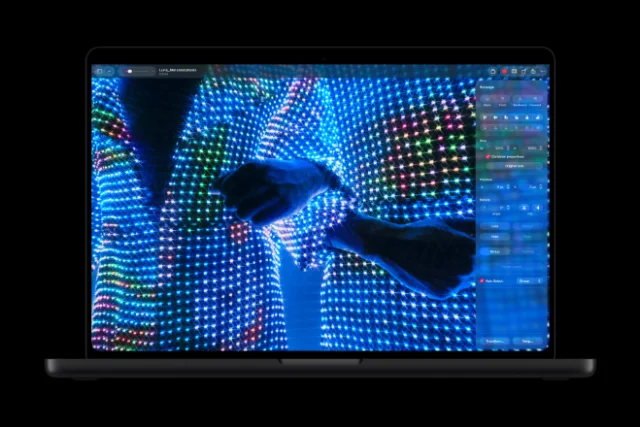

Preorders open today, October 28, on apple.com and in the Apple Store app across 30 countries and regions, including the U.S. Devices begin arriving, and show up in Apple Store locations and through Apple's resellers, starting Friday, November 6. Those dates matter if you're timing a purchase around a deadline or a project.
What PROLED XDR is trying to do
Apple's headline claim is that PROLED XDR is the world's best laptop display. That's the company's wording, and it's a claim I'd want independent measurements to back up before repeating it. What's more interesting is the engineering Apple describes underneath it. The company says it has taken its tandem OLED approach further, with changes to every layer of the panel, advanced algorithms in the display engine, and a factory calibration process applied to each unit.
Tandem OLED generally stacks emissive layers to get more light out of the same panel. Apple says its version keeps brightness and grayscale uniform across the whole screen while cutting down on internal reflections, which it describes as a common problem with traditional OLED designs. Those reflections matter in a laptop because they're what make dark OLED screens look washed out in a bright room. Apple's answer is partly in the panel and partly in software.
Srouji, Apple's chief hardware officer, framed the display as the core of the update. "The new MacBook Pro with PROLED XDR Display is a monumental step forward for the Mac," he said in a statement. "PROLED XDR is the world's best laptop display. It pairs state-of-the-art tandem OLED technology with advanced algorithms in our display engine to deliver the kind of visual fidelity pros have been dreaming of." He tied the screen to the new Touch input and the M5 Pro and M5 Max chips, and said the result comes from deep integration between Apple silicon, hardware and software.

The display engine is where Apple gets specific. It says the engine controls the color and luminance of every pixel at sub-millisecond speed, compensating for content, pixel use, temperature and environment at once. It also tracks how each pixel is used over time to keep image quality from drifting. In practice, that's the kind of work that should show up in fast-moving content, where OLED panels have historically had to make trade-offs.
Brightness, contrast and the numbers Apple chose
Apple quotes up to 2000 nits peak brightness for both HDR and SDR content, and a 10,000,000:1 contrast ratio. Those are the headline figures, and they're large. The brightness number is about specular highlights, the glints and light sources that HDR content uses to feel real. Apple says the contrast comes from tandem OLED optimizations, custom compensation techniques and precise light control across the panel, with the aim of making deep shadows show detail.

The 10,000,000:1 figure is the one I'd treat most carefully. Contrast ratios for OLED panels are measured in very different ways across the industry, and a headline number doesn't tell you how a screen looks with a bright window in the room or a dark timeline in an editing app. The meaningful test is side-by-side viewing under controlled conditions, and that's exactly what reviewers should check on this panel.
Refresh rate is also in the spec sheet. ProMotion on this display runs adaptively from as low as 10Hz, which Apple links to power efficiency, up to 120Hz for fluid motion. That range suits both static editing work and fast scrolling or animation. Whether the battery claims hold up under that range is a separate question, and one I'd want to see tested.
Color for people who grade and retouch for a living
The panel supports P3 and Adobe RGB, and Apple says the green and cyan coverage is notably wider than before. The company puts coverage above 80 percent of Rec. 2020 for HDR video editing and color grading. Both color spaces sit in a single default preset, so you don't have to hop between modes to switch targets. For photographers and colorists, that's a practical detail rather than a spec-sheet flourish.

Calibration is the other half of that story. Apple says each panel gets a factory calibration so luminance, white point and gamut line up with standard targets. It also says the display is consistent from unit to unit. For anyone who has shipped a color-critical project on a laptop screen that drifted from its neighbors, that consistency claim deserves attention. Calibration tools and reference modes come later in this article, because they're where the display gets interesting for professionals.
Bright rooms and the nano-texture option
Apple says the screen stays readable in bright light because of up to 2000 nits peak SDR brightness combined with a new antireflective coating. For more glare control, the nano-texture option is now etched directly into the cover glass. Apple says that cuts reflections and glare further while keeping the image sharp. It's a configuration choice, so you'll pay extra for it, and the pricing section covers where it appears in the configurations.
My read: the coating and the nano-texture option are the two levers that will decide whether this screen works in a window-lit studio or a sunny cafe. Either way, you'll want to look at the matte and glossy options in person before choosing.
Touch comes to the Mac
Touch is the change that will split opinions. Apple has long argued that the trackpad and keyboard are the right input for a Mac. This model adds a touch sensor, and Apple says it's built directly into the display panel instead of layered on top, which it links to lower latency. The practical gestures are familiar from iPad and phones. You scroll a webpage with a swipe, pinch to zoom a photo, drag slides between presentations, double-tap a window to fill the screen, or flick it into a tile.

The more useful part is what Apple says changes for specific jobs. Graphic designers can use the whole display as a canvas instead of working within the trackpad's area. Musicians can play software instruments directly on screen. App developers can test how Touch performs in iOS and iPadOS apps on the MacBook Pro display. Apple says these work alongside the keyboard shortcuts and trackpad gestures that pros already use, rather than replacing them. That's the right framing, and it's the one I'd test first.
Apple also made a few changes to support Touch on a laptop. It says the hinge has been redesigned for stability when you press the screen, and that advanced video stabilization smooths the camera feed in real time while you use Touch on a video call. Existing apps get touch input right away because macOS translates touches into clicks. Developers can also use updated system gesture APIs to build interactions designed specifically for Touch.
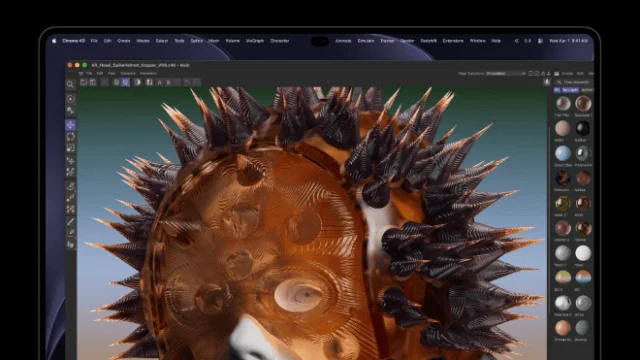
Apple named a long list of third-party apps it says will take advantage of Touch. Productivity and collaboration apps include Notion, Canva, Zoom, Microsoft Word, Excel, PowerPoint and Outlook. Creative tools include Adobe Lightroom and DaVinci Resolve. 3D and animation apps include Blender, Maxon Cinema 4D, Maxon ZBrush and Shapr3D. Music includes Algoriddim djay Pro. Which of these get the most out of Touch in practice is what I'd look at once review units are available.
The Dynamic Island arrives on the Mac
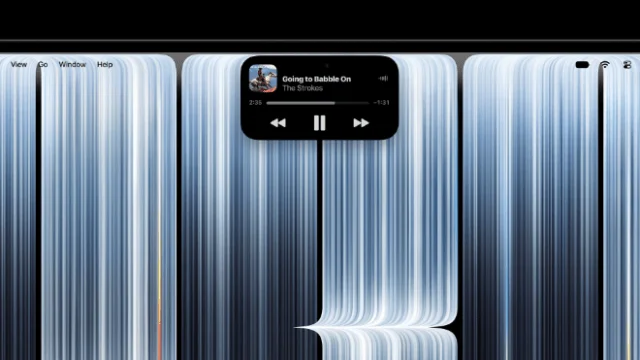
The Dynamic Island now sits on the Mac, and Apple says it's the new home for Spotlight, Live Activities and Siri AI. You can search for anything on the laptop, check real-time updates, or ask Siri a question from the same spot. Apple also says you can pick up a phone call, control music, accept an AirDrop request or pause a song with a tap.
This is the most Mac-specific reinterpretation of an iPhone idea so far. It's worth watching how often you'd reach for it compared with the menu bar. A quick glance at Live Activities is a different habit from a keyboard shortcut, and I'd expect users to split on which they prefer.
Lighter and thinner, with a bigger screen
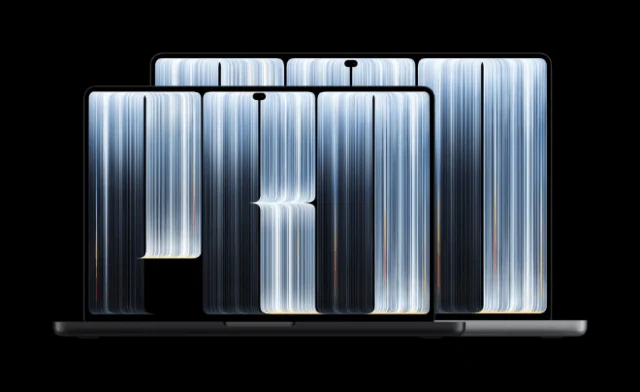
The 14-inch model now weighs 3 pounds, half a pound less than before. The 16-inch model weighs 4 pounds, which Apple says is 0.7 pounds lighter. Apple also says the OLED display stack allows a slimmer body, with the 16-inch model nearly a millimeter thinner and the 14-inch model half a millimeter thinner. Those are small numbers on paper, but the weight difference is the one you'll feel in a bag.

Apple says the slimmer borders let the 16-inch display grow to 16.3 inches, while the 14-inch panel measures 14.2 inches. So the 14-inch keeps its footprint while gaining screen, and the 16-inch gets a bigger panel in a lighter chassis. That's the trade that tends to matter most to people who edit on the road.
Apple says a completely redesigned thermal architecture keeps the M5 Pro and M5 Max performing at the same sustained level in the lighter body. It also says the design redirects warm air away from the display. Heat near the screen is a real issue on a touch-enabled laptop, so that claim is one to test with long sessions, not short benchmarks.
Battery life is quoted at up to 24 hours. Apple attaches that figure to a footnote, and it's specific to the conditions Apple used. The charger spec is more concrete: the laptop can charge to 50 percent in 30 minutes with fast charging. That's a useful number for a machine that's meant to travel.
M5 Pro and M5 Max
The laptop uses M5 Pro or M5 Max, which Apple calls its most powerful chips ever built for a pro laptop. The company says both deliver strong single-core and multi-core CPU performance, along with faster unified memory. Apple's examples for M5 Pro include compiling code, running AI tasks, sequencing DNA and editing multiple streams of 8K ProRes video. For M5 Max, it points to 3D VFX artists, AI developers and film composers, and says the chip can run large language models with hundreds of billions of parameters entirely on device.
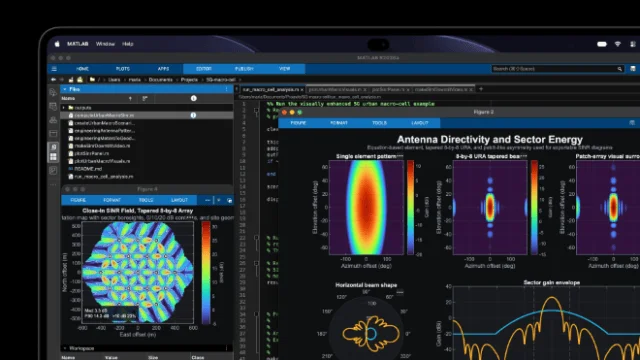
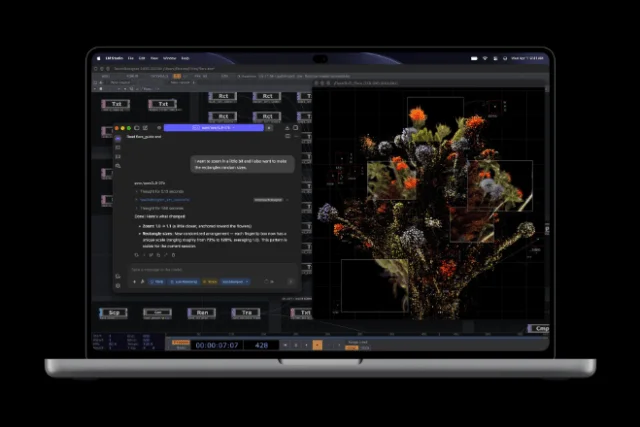
The GPU gets enhanced shader cores and a third-generation ray-tracing engine. Apple says Dynamic Caching improves on-chip memory use to raise GPU utilization, which it links to speed gains in apps like Blender and Unreal Engine, along with AAA games. A Neural Accelerator sits inside each GPU core, which Apple uses to illustrate running a coding agent with an on-device LLM. Apple also mentioned Cinema 4D with Redshift, MATLAB and Foundry's Nuke as examples of demanding workloads.
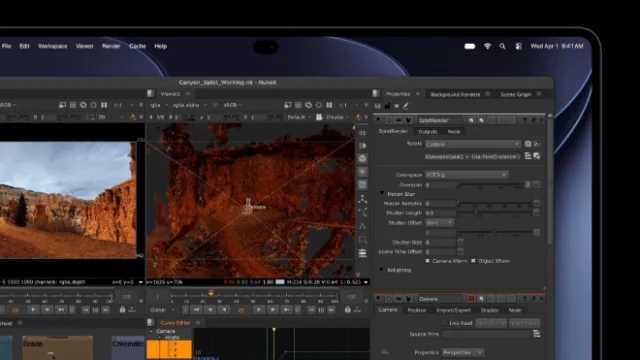
Those are Apple's examples, not third-party results. The announcement doesn't include benchmark scores, and I wouldn't guess at them. For buyers, the useful question is which of the two chips your workload actually needs. If your work is mostly video editing or code, M5 Pro is likely to cover it. If you run big local models or heavy 3D scenes, M5 Max is the one Apple is pitching for that work.
Memory and storage are the other pieces. Apple says the machine supports up to 128GB of unified memory and storage configurable up to 16TB. Those are high ceilings. The cost of reaching them is shown in the pricing section, and it's a big jump.
Audio, camera and microphones
The six-speaker system gets an all-new woofer design. Apple says it delivers 50 percent deeper bass, and it also describes new tweeters that shape sound dispersion. Spatial Audio with Dolby Atmos is supported for music and movies. The studio-quality microphones are there for calls, recordings and voice commands. Apple says it has added dedicated audio tuning for closed-lid use when the laptop drives an external display, which is a small but practical addition for desk setups.

The camera is a 12MP Center Stage unit. Apple's description of the Center Stage feature is brief here, but it fits the broader push toward video calls on a machine with a touch screen.
Ports, displays and connectivity
The laptop has three Thunderbolt 5 ports, HDMI, an SDXC card slot, MagSafe and a headphone jack. That's a useful mix. The SDXC slot is a welcome sight for photographers, and the HDMI port means fewer adapters for presentations. Apple says the M5 Pro supports up to three external displays alongside the built-in PROLED XDR panel, and the M5 Max supports up to four.

Wireless is Wi-Fi 7 and Bluetooth 6, handled by the Apple-designed N1 chip. Touch ID stays for login. These are sensible additions for a laptop that's meant to sit in a studio for years.
Apple also lists a few specialized features. The laptop supports genlock, which synchronizes the display refresh rate with a camera's capture to reduce ghosting, tearing and other artifacts when filming. Apple says that makes it useful for virtual productions and on-set work. Apple Pro Display Calibrator lets pros calibrate the screen to specific targets, and the display includes industry-standard reference modes for cinema, photography, print and design. Apple has also added DICOM medical imaging reference modes. The company says those are for nondiagnostic reviews, research and education, and that the display offers strong grayscale accuracy and contrast for that work.
Apple Color Matching Function 2026 is designed to keep the MacBook Pro's display visually consistent when paired with an iPhone 18 Pro or a Studio Display XDR. If you run a multi-device workflow, that's the detail that could save the most time.

macOS 27 Golden Gate and the Siri AI pitch
The laptop runs macOS 27, which Apple calls Golden Gate. Apple says Siri AI is a more capable and conversational assistant that draws on personal context to help find things across messages, emails, photos and more. It can answer questions on almost any topic and get tasks done across apps. Apple also says these features come with privacy protections, which it describes as groundbreaking, a claim I'd read as the company's own framing. Siri is built into Spotlight and system context menus, and Visual Intelligence can answer questions about what's on screen through a keyboard shortcut.
Apple Intelligence adds features in individual apps. In Safari, it can group tabs by topic, alert you to changes such as restocks or price drops, and create custom extensions from a written description. In Shortcuts, you can describe an automation in plain language. The Photos app gets more intelligent editing tools. Apple also says search and performance improvements are coming across existing features.
On the interface side, Apple refined Liquid Glass and added a slider in Settings. It ranges from ultraclear to fully tinted, and Apple says app icons are sharper and more defined. Apple is leaning on personalization here, so the right setting will depend on how you feel about translucency.
Creative apps, subscriptions and pricing
Apple Creator Studio is Apple's bundle of pro creative software, and it's getting Touch-specific updates. In Pixelmator Pro, you can draw, paint and select directly on the canvas. In Logic Pro, you can play software instruments on a Multi-Touch polyphonic keyboard and tap chord and drum pads on screen. In Final Cut Pro, Apple says you can mark ranges with Touch, drop clips into place and pinch to zoom in on a cut.

Pricing for Apple Creator Studio is $12.99 per month or $129 per year for new subscribers. Education pricing is $2.99 per month or $29.99 per year for college students and educators. Apple says updates arrive on the App Store in November for free for existing subscribers, and that new subscribers get a one-month free trial. Buyers of a new Mac or qualifying iPad can get three months free.
Now the hardware pricing. The 14-inch MacBook Pro with M5 Pro starts at $2,899 in the U.S., or $2,749 with education savings. The 16-inch MacBook Pro with M5 Pro starts at $3,399, or $3,199 with education savings. The 14-inch model with M5 Max starts at $4,499, or $4,199 with education savings. The 16-inch model with M5 Max starts at $4,799, or $4,499 with education savings.
For a fully specced machine, the source's own example is a 16-inch MacBook Pro with M5 Max, an 18-core CPU, a 40-core GPU, a 16-core Neural Engine, 128GB of unified memory, 16TB of storage and nano-texture glass. That configuration costs $14,549, or $1,212.41 per month over 12 months. Apple's U.S. lease starts at $55.99 per month for 36 months through Apple Upgrade, excluding taxes and any trade-in credit.
Accessories are priced separately. Apple lists a 70W Power Adapter at $59, a 96W Power Adapter at $79, a 140W Power Adapter at $99, and a World Travel Adapter Kit at $39, all in U.S. dollars. Apple also points to Apple Trade In for credit toward a new Mac, and to AppleCare+ and, where available, AppleCare One for coverage. Apple says its service plans cover accidental damage like drops and spills, battery replacement and priority support. Direct buyers can also book a Personal Setup session with a Specialist.
Sustainability claims
Apple says the new MacBook Pro helps move it toward its goal of being carbon neutral across its entire footprint by 2030. The laptop is made with 55 percent recycled content overall, according to Apple. The enclosure uses 100 percent recycled aluminum, the battery uses 100 percent recycled cobalt, and Apple says it uses 100 percent recycled tantalum in multiple capacitors for the first time. Apple also says the supply chain runs on 45 percent renewable electricity, such as wind and solar. The company describes the laptop as durable, repairable and built to its energy-efficiency and chemistry standards, and says its paper packaging is 100 percent fiber-based and designed for recycling.
Those are company figures, and they're the kind of numbers that deserve a look at the detailed environmental reports when they're published. For buyers who weigh sustainability in a purchase, the recycled-material breakdown is more specific than many laptop makers provide at launch.
What I'd check before buying
The spec sheet is strong, and the questions that matter are the ones it can't answer. Apple's brightness, contrast, battery and performance numbers are its own, so I'd wait for independent measurements of the panel, especially for how contrast holds up with real content and how much glare the nano-texture option removes. The same goes for thermals under sustained load, and for how the thinner chassis handles a long render or a multi-hour session.
Touch is the bigger question. A touchscreen on a laptop only makes sense if it fits the way you already work. Designers and musicians have obvious use cases, and Apple has named them directly. Writers and spreadsheet users may find it's a nice extra but not a daily change. If you spend most of your time in a keyboard-first workflow, the trackpad may still be your main tool.
The choice between M5 Pro and M5 Max is the one most buyers will face first. The gap in price is large, and the case for Max rests on local AI models, heavy 3D and very large video timelines. If your work is mostly editing, coding or photo work, the Pro chip is likely the more sensible buy, and the savings can go toward storage or a nano-texture panel.
If you own an older MacBook Pro, the question is whether the display, weight and Touch are worth the switch. The OLED screen and lighter body are the strongest arguments for upgrading now. If you're mainly after the newest chip, it's worth waiting for the reviews and then deciding. November 6 is when the wider rollout begins, and that's when the real-world testing starts.


