First day cover ·
New MacBook Pro's Glowing Apple Logo Can Be Switched Off, but Only in Terminal
Apple confirms the illuminated logo on the new MacBook Pro with PROLED XDR Display can be disabled, but there's no Settings toggle. A Terminal command does it.
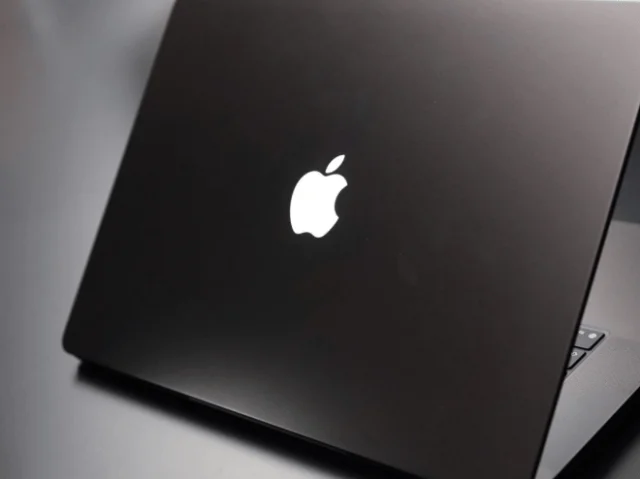
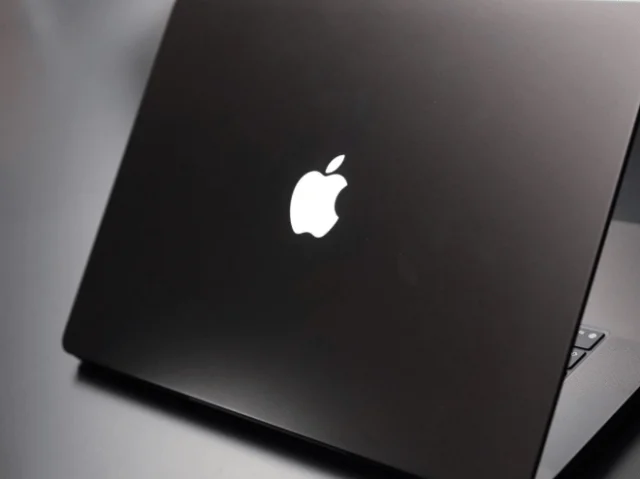

Apple has confirmed that owners of the new MacBook Pro with PROLED XDR Display can turn off the glowing Apple logo on the lid. The logo lights up whenever the laptop is awake, and the only way to shut it off is a Terminal command. There's no switch in System Settings. For a lot of people, that's the part that stings.
What the logo actually does now
The illuminated logo is a throwback. It was a fixture of older MacBook designs and then vanished for roughly a decade after the 2016 redesign. Its return is more than a nostalgia play, though. On earlier models, the logo was essentially light leaking through from the display backlight. On the PROLED XDR Display, which is OLED-based, the logo gets its own illumination system. It's managed in software and tied to the CoreBrightness framework, so it behaves more like a controllable element than a passive cutout.
Apple's support documentation describes how that control works in practice. The logo is on whenever the Mac is awake, and its brightness isn't fixed. It tracks the brightness of the built-in screen and the ambient light picked up by the laptop's sensor. At the same screen brightness, you'll see it dimmer in a dark room and brighter in a well-lit one. That's a sensible design choice. A logo that blazes at full strength in a dim bedroom would look out of place, and this approach lets it blend in.
The support page is specific about scope. It applies to MacBook Pro models with the PROLED XDR Display, which began reaching customers around the same time the documentation was published.
Turning it off in Terminal
If you want the logo dark in every condition, you'll need Terminal. You can find it in Applications > Utilities or by searching for it with Spotlight. Enter the following command:

sudo defaults write com.apple.CoreBrightness LEBacklightMode -int 0
Because the command starts with sudo, Terminal will ask for an administrator password. Nothing appears on screen as you type it, which is normal behavior for Terminal, so don't keep retyping it thinking it's failed. Once you press Return and the password is accepted, the logo switches off right away. No restart is needed.
The change isn't limited to your account. It applies system-wide to all user accounts. It also holds when you boot into macOS Recovery, and it carries over if you migrate your data to a new Mac. That last point matters if you're the kind of person who sets up a machine once and then forgets how you configured it.
Restoring the glow, and what resets it
Changing your mind is equally simple. Run this command in Terminal and enter your administrator password again:
sudo defaults delete com.apple.CoreBrightness LEBacklightMode
The logo returns to its default illuminated state. Reinstalling macOS also resets it to the default, so if you wipe a machine and start fresh, expect the glow to be back. Anyone who has tweaked this setting and then reinstalled should check it again rather than assume the earlier choice stuck.
Who wants it dark, and who doesn't
Reactions have been split. One camp is happy to see the classic glowing logo back, especially with the automatic brightness adjustment that keeps it from looking out of place. The other camp wants a completely dark lid for a few reasons. Some want privacy in meetings, theaters, or dark rooms, where a lit logo can draw eyes or look distracting. Others simply don't like a light on the machine when it's awake, even if the power draw is, by most accounts, very small.
The bigger complaint is the lack of a simple switch. A feature that's visible and adjustable in settings is easy to find and easy to trust. A feature buried behind a Terminal command feels more like a workaround than a choice Apple expected most people to make. That's a fair criticism, and it's the question that keeps coming up: why route a user-facing preference through the command line?
My take
For most people, I'd leave the logo on. It's subtle, it adapts to the room, and it's a nice nod to older Macs. Where it gets annoying is in those specific moments: a dark theater, a client call where the lid faces the room, or a late-night session where you want the laptop to look as quiet as possible. In those cases, the Terminal command is worth the thirty seconds it takes to run. If you find yourself toggling it often, though, that's a good signal the setting should live in System Settings. Until Apple moves it there, the command works, it's reversible, and it sticks through migrations. Just remember that a clean reinstall will bring the glow back.


