First day cover ·
Android XR Spatial Containers Bring 3D Views Into Apps, With a Multitasking Limit
Android XR can now host 3D content alongside 2D interfaces inside one app, but containers currently require Full Space mode.
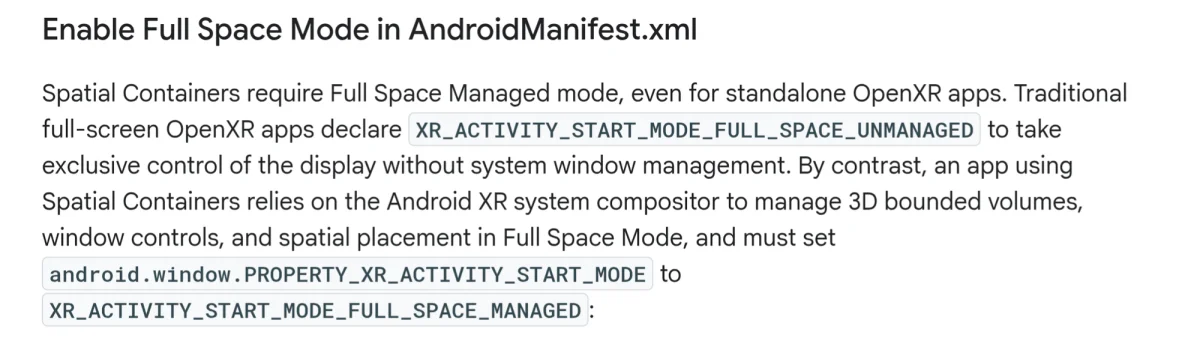
Android XR’s new Spatial Container support gives app developers a way to place interactive 3D scenes alongside familiar 2D interfaces. The key restriction shapes what that means for users: containers require Full Space mode, so an app can combine its own components but can’t share the environment with windows from other apps.
One app, several kinds of interface
The feature supports the recently standardized OpenXR Spatial Container extensions on Android XR devices running Spatial API Level 4 or higher. The extensions define system-managed, bounded spaces for volumetric content, giving 3D scenes a place within an app’s interface in much the same way desktop software places content in windows.
That’s a change from Android XR’s earlier OpenXR behavior, where an OpenXR session took exclusive control of the display. With Spatial Containers, an app can put 3D content inside a defined volume or switch to an unbounded immersive experience. Android XR manages container placement and window controls. When a container is active and interactive, users can engage with its contents using hand tracking, eye gaze or six-degree-of-freedom controllers.
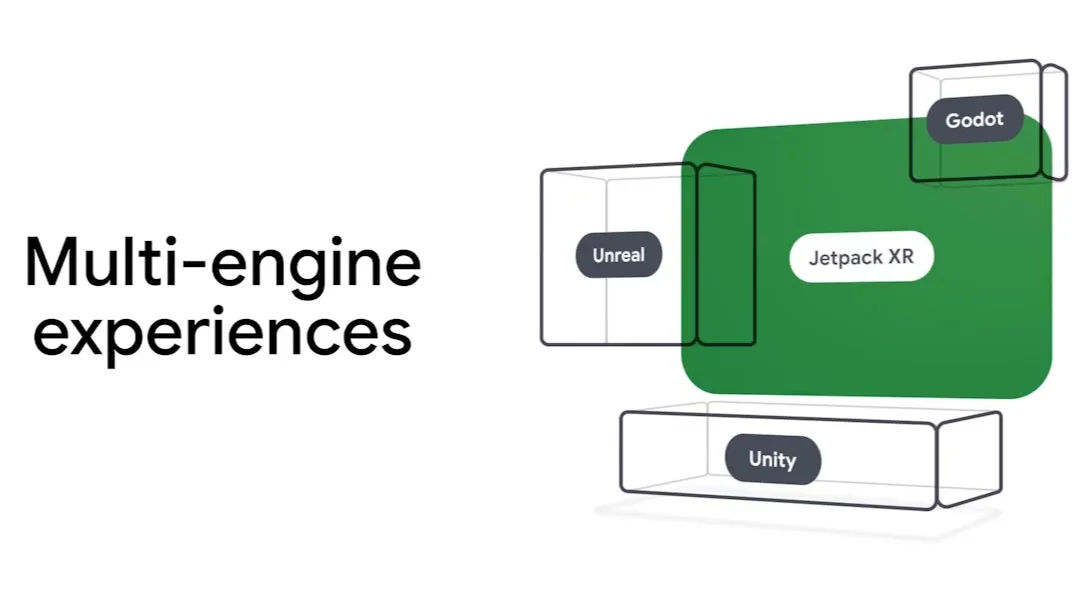
The integration also lets developers combine Jetpack Compose interfaces, standard Android activities and OpenXR scenes in one app. They can build the 3D elements with engines such as Unity or Godot, or use native OpenXR. That gives developers room to keep menus and controls in familiar 2D layouts while presenting selected content as a spatial scene.
Court View shows the format in practice
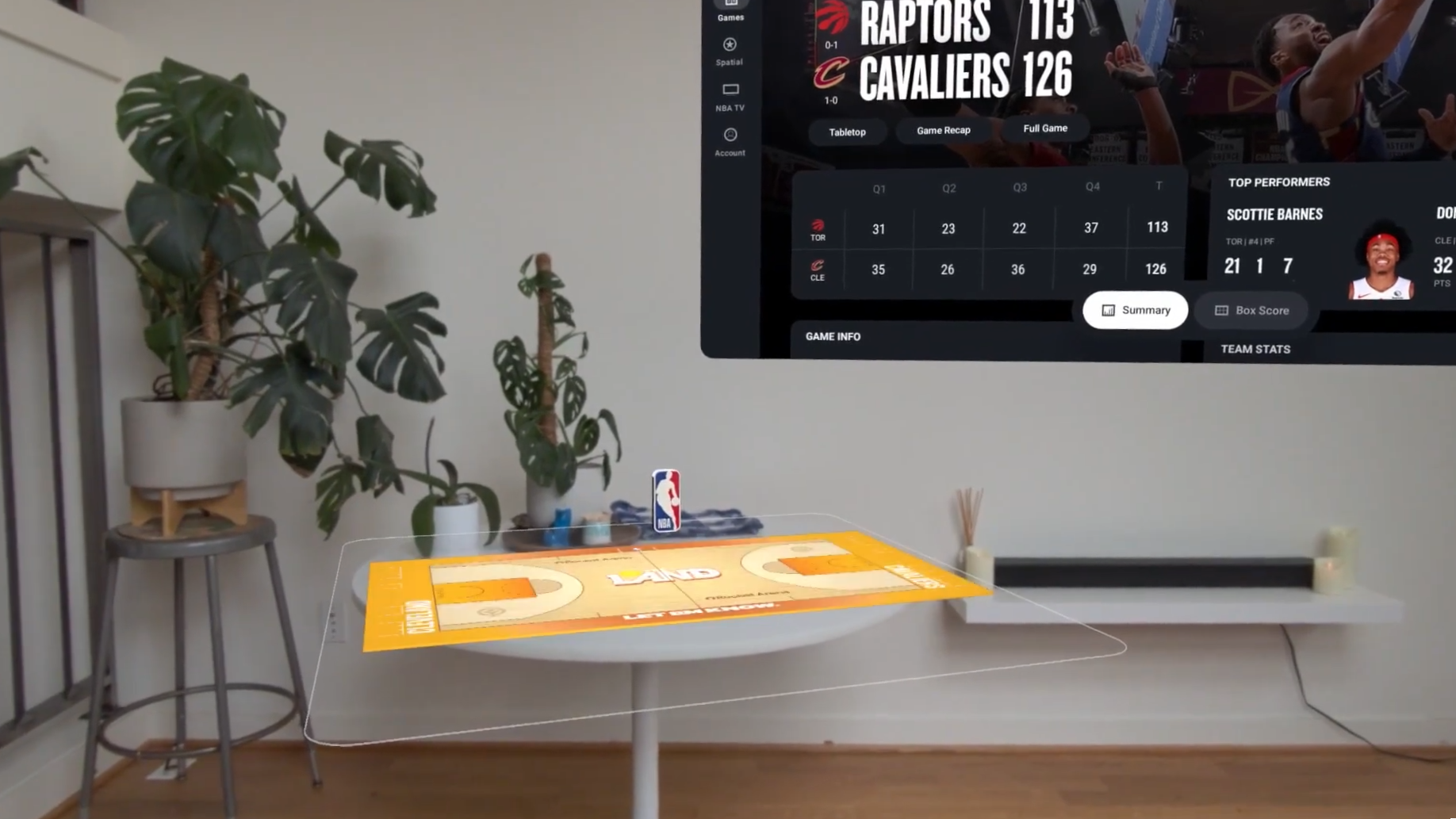
The NBA app offers an early example. Its main interface uses Jetpack Compose, while selected games can show a volumetric basketball court rendered with Unity. The feature, called Court View, brings a 3D view into the app without requiring its entire interface to be built as a spatial scene.
Court View resembles the NBA app’s Tabletop feature on Apple Vision Pro, which is also now called Court View. The example illustrates the practical appeal of containers: an app can preserve its regular interface and add a more immersive way to view particular content. For a game presentation, that means a court scene can sit within the same app experience as its standard interface.
Android XR’s approach is conceptually close to Apple’s visionOS model, where windowed and volumetric apps can run in a system-managed environment and move into a fully immersive mode. The distinction is how much of that environment Android XR currently makes available to containers. The support described here is focused on components within one app rather than a shared spatial workspace across apps.
Full Space is the main constraint
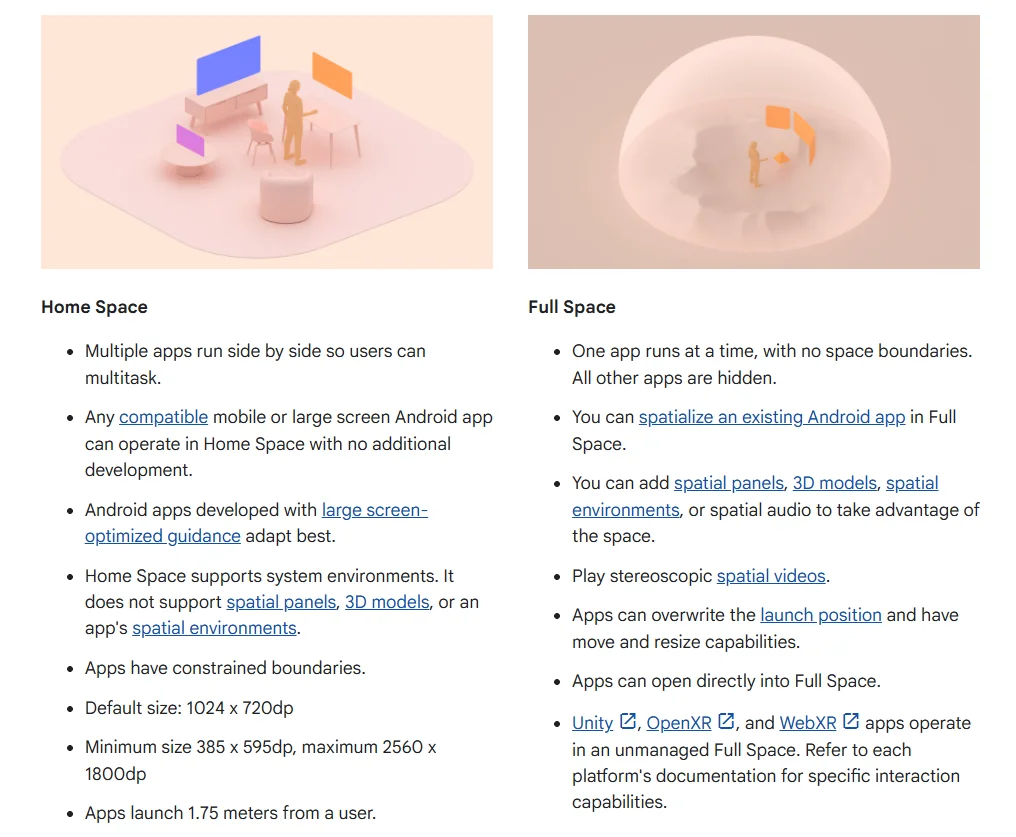
Spatial Containers currently require apps to run in “Full Space Managed” mode. Android XR’s “Home Space” mode is the one designed for multitasking with other apps, but containers aren’t available there. As a result, an app in Full Space can show multiple containers of its own, while content from other apps is hidden.
A demo using the hello_xr sample makes the trade-off visible: Chrome and Files windows disappear while the sample runs. The limit follows Android XR’s existing model, which confines spatialized app components to Full Space.
That makes “multi-engine experiences” a useful description of the feature’s current role. A developer can bring together Android UI and content produced by a 3D engine inside one app, but users don’t yet get the broader cross-app spatial multitasking associated with systems such as visionOS on Apple Vision Pro. The same gap is relevant when comparing Android XR’s current implementation with Pico OS 6, which is associated with the upcoming Pico Space Pro.
What developers and buyers should watch
For developers, the immediate opportunity is to add a spatial view to an existing app without rebuilding every screen in 3D. The Full Space requirement is a meaningful design constraint, though: an app that relies on other apps remaining visible can’t treat containers as a drop-in addition to its Home Space experience.
For users, the benefit will depend on which apps adopt the format and how they use the bounded space. Court View points to a focused use: keep the main interface recognizable, then open a volumetric scene when the content benefits from depth. The next meaningful step for Android XR will be whether containers can work alongside other apps in Home Space, bringing its spatial scenes closer to a shared multitasking environment.