First day cover ·
EPOMAKER TH65 Review: Compact 65% Board, Hard-to-Read Black Keycaps
EPOMAKER's TH65 has a compact 65% frame, south-facing RGB and a large battery, but the black colourway's camo keycaps are tough to read mid-game.
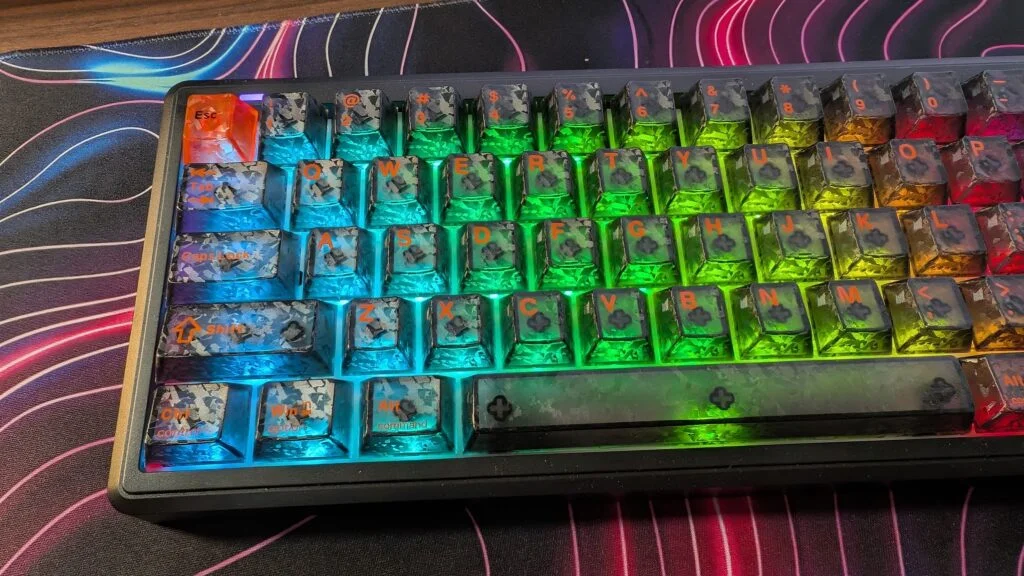
EPOMAKER has built a reputation on keyboards that punch above their price, so the TH65 stands out for the wrong reason. The black colourway is where it stumbles. Its keycaps take a solid board and make the legends hard to read when you need them most, and that's a bigger problem in gaming than in almost any other setting.
The keycaps are the problem
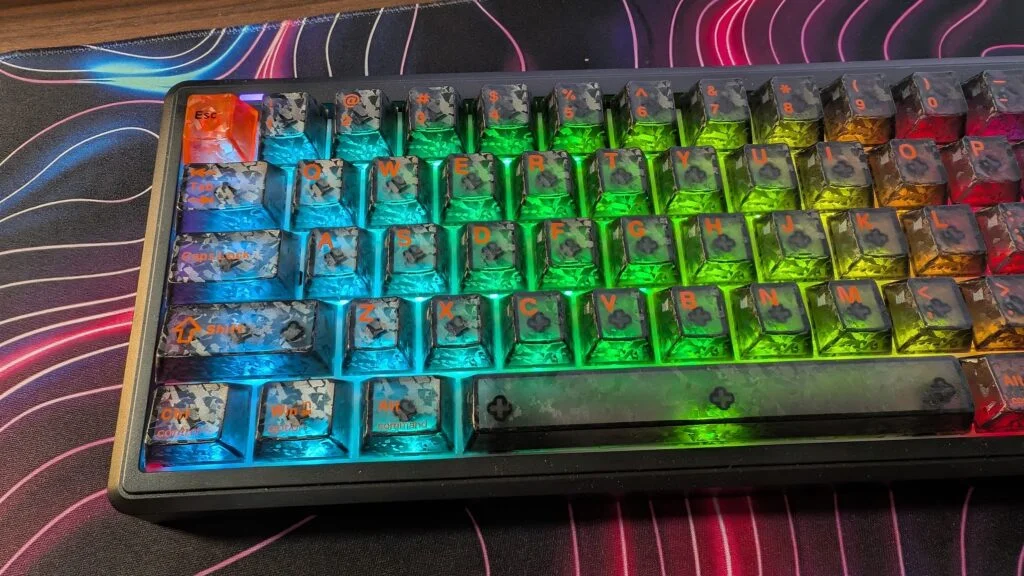
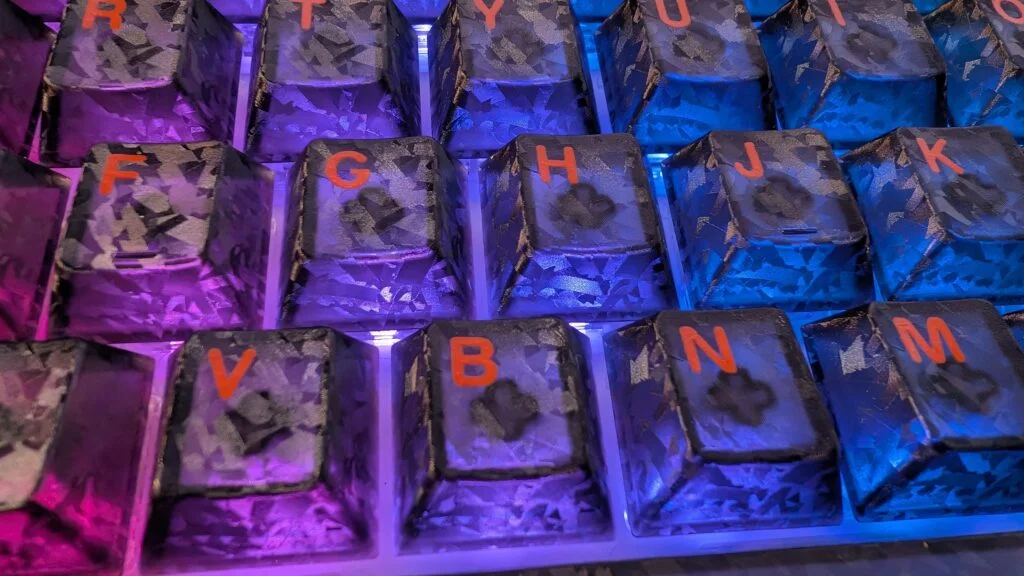
The black TH65 uses semi-translucent keycaps, and a lot of light passes through them. In a bright room that's a minor annoyance. In a dim room, the glow gets distracting fast. Layer a camo mosaic pattern over that and pair it with orange legends, and the keys start to blend into one another.
I asked for shine-through keycaps when I arranged the review unit, so this isn't a surprise in the sense of being unrequested. The problem is the direction it went. Shine-through is meant to make legends visible, and here the busy pattern and orange text work against that goal. I can touch type, so I rarely look down at my keyboard. Still, in games there are moments when a quick glance at a bind, a number row key or a combination in a menu matters. With these caps, that glance takes longer than it should.
White legends would help a lot, and they'd suit the translucent shell better. If you prefer the look, though, the keycaps are cherry profile, so you can swap them later. Budget for that if you buy the black version and plan to game in low light.
Layout and desk footprint
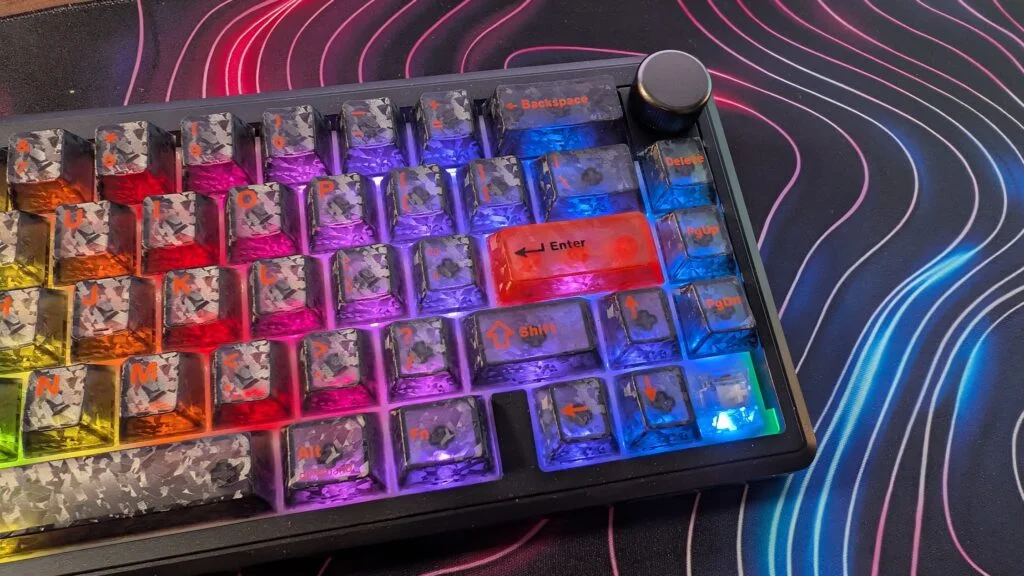
The TH65 uses a 65% layout. You still get an arrow cluster in the bottom right, plus delete, page up and page down. A volume wheel sits in the top right, and it's genuinely handy for muting and adjusting volume without reaching for the system tray. For anyone with limited desk space, the footprint is a real advantage. It leaves plenty of room for a mouse with a generous movement area, and at roughly 700 grams it's light enough to slide into a better position mid-session without much effort.
Feel and sound
The gasket-mount design aims for a softer, more cushioned typing feel. Five layers of sound dampening, using foam and other materials, are meant to reduce vibration and keep the sound controlled. That's a sensible goal for a shared office or a quiet room. For enthusiasts chasing the deep, hollow "thock" many mechanical keyboard fans want, it falls short. The sound comes across as flat rather than rich.
The feel is spongy too. The keys don't deliver a consistently smooth press, and that inconsistency is noticeable once you're typing or gaming for a while. A softer mount suits some people, but this combination of cushioning and spring-like response didn't win me over.
Switches and connectivity
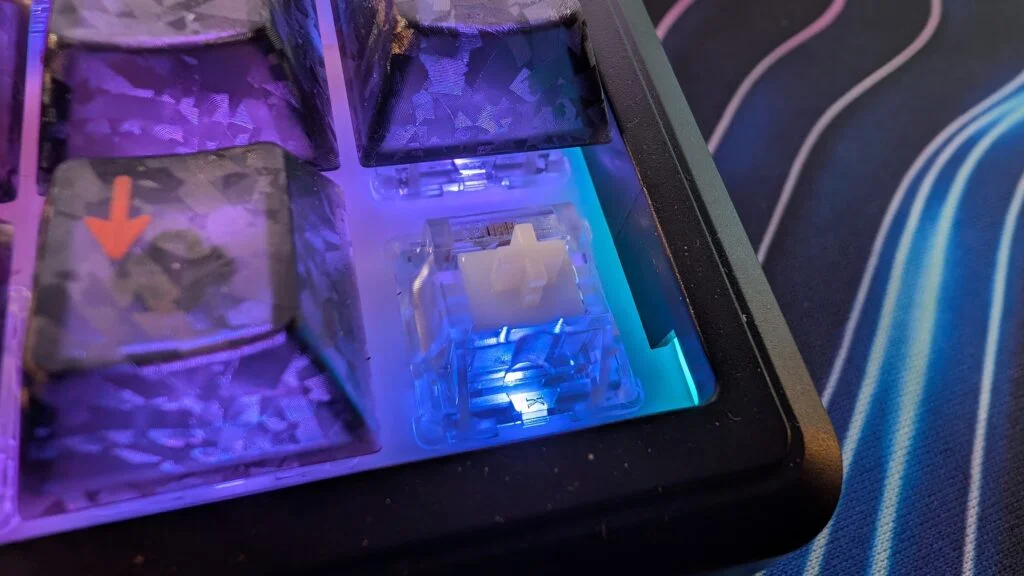
My unit came with crystal tactile switches. EPOMAKER offers several options on its website, and the crystal tactiles are meant to give a more pronounced bump on each press. That bump is clearly there. There's also a noticeable bottom-out, so if you prefer a quieter or less jarring stroke, you'll want to try alternatives. The switches are hot-swappable, which makes changing them a simple task rather than a soldering job.
Connectivity covers three bases: a wired USB Type-C connection, a 2.4GHz wireless link through a small USB dongle, and Bluetooth. I skipped Bluetooth in practice. For gaming, the 2.4GHz connection is the one I'd trust. A toggle on the back switches the keyboard between Windows and Mac layouts, which is a practical touch if you move between platforms.
EPOMAKER lists an 8,000mAh battery. In my testing, I used the board in the evenings for several weeks, for both gaming and typing, and I hadn't needed to charge it. Wireless polling runs at 1,000Hz over both 2.4GHz and USB, which is standard for a keyboard of this type. Anti-ghosting is included, so simultaneous key presses register correctly during games.
Who should look at the TH65, and who should wait
Here's the thing: the hardware underneath is good. The 65% size is useful, the south-facing RGB is a plus, and the battery life is excellent. If you're buying one, the colourway matters more than the spec sheet. The black version's translucent, camo-patterned keycaps with orange legends are the sticking point. If you can, check whether the white or pink versions use a different keycap set, since the review unit's caps don't appear on the other colours in the range as far as I could tell.
My read is that EPOMAKER took a risk with the black design and it didn't land. Anyone who wants a compact, wireless gaming board with easy-to-read legends should look closely at the caps before buying. Anyone happy to swap keycaps or who mainly types in bright rooms will get more from it. I'd still trust EPOMAKER's next release on the strength of its track record, but this one needs a keycap change before it earns a recommendation from me.