First day cover ·
RSS Guard 5.3.0 Adds Sharper Feed Filtering and Faster Article Queries
RSS Guard 5.3.0 adds script-based article rewriting, OR/AND feed filters, WordPress and MediaWiki feed discovery, and faster SQLite queries.
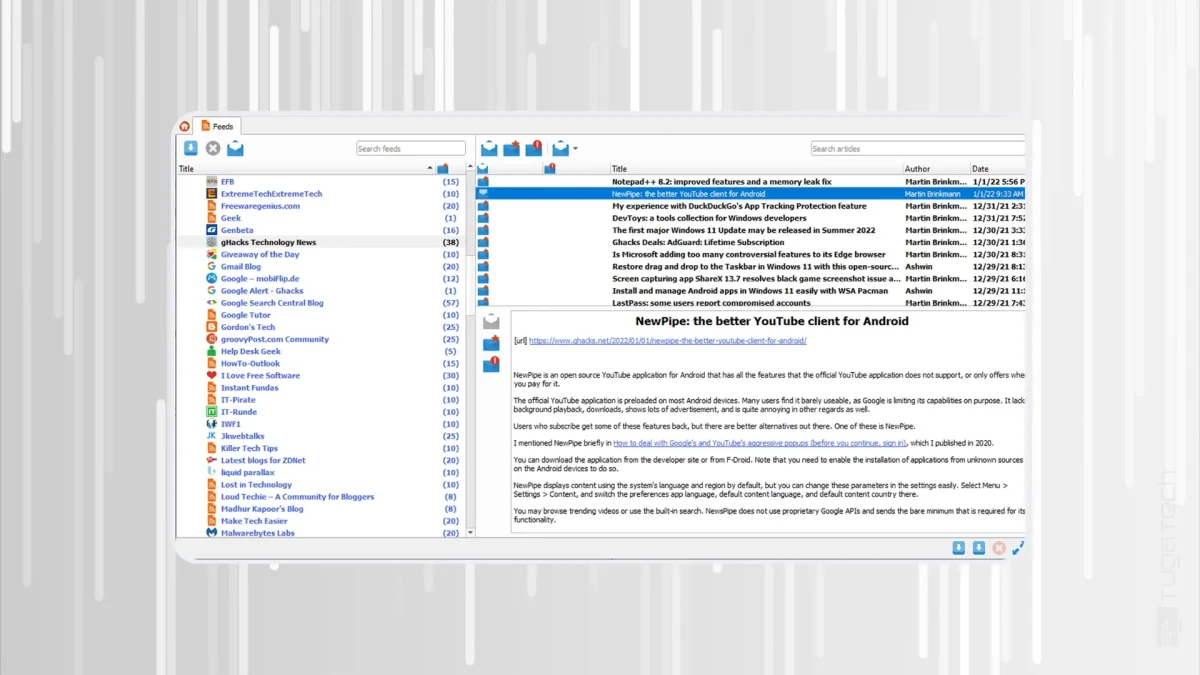
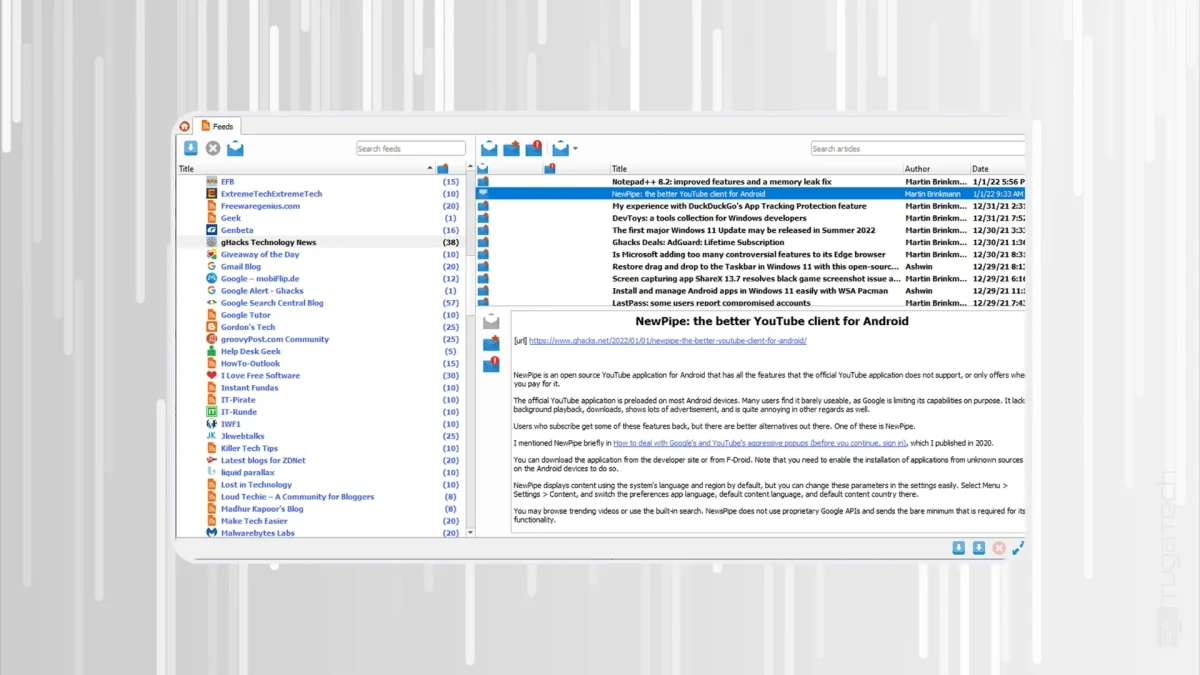
RSS Guard has been a quiet favourite among people who want a feed reader that stays on their own machine. Version 5.3.0 doesn't change that philosophy. It leans harder into filtering and feed discovery, and it tightens performance where heavy users tend to feel the pain first. If you've been juggling hundreds of feeds and wondering why your reader feels sluggish, this update is aimed squarely at you.
Filtering that goes well beyond keywords
The headline addition is script-based article filtering. Scripts can now rewrite an article completely through a new msg.overwrite parameter, which means you're no longer limited to hiding or flagging items. You can reshape what the content looks like before it reaches your eye. For most readers that sounds like a niche feature, but for anyone who scrapes inconsistent feeds or cleans up messy titles from several sources, it's the kind of control that removes a lot of manual tidying.
Testing your rules has also become less guesswork. The preview controls are improved, so you can see how a filter behaves before committing to it. That matters with scripts, where a small mistake can quietly hide the wrong articles. Feed listing gets OR and AND logic as well. Here's the thing: once you can combine conditions in both directions, you can build views that answer real questions, such as "show me anything tagged hardware or reviews from these three sites," rather than scrolling through everything and sorting by eye.
Discovery beyond traditional feeds
Feed discovery now reaches into two content management systems. RSS Guard adds native support for the WordPress REST API, so it can find posts and pages on compatible sites without you hunting for a hidden feed URL. It also recognises MediaWiki category and search pages directly as feeds, which opens up wiki-based sources that used to require workarounds.
Those additions sit alongside the formats the app already handled: RSS, RDF, Atom and podcasts. The effect is that one application covers a wider slice of what people actually follow. My read is that this is less about chasing new platforms and more about removing the friction of getting a source into the reader in the first place. Fewer dead ends during setup usually means people stick with the tool longer.
Performance and platform work
Under the hood, the developers have targeted the SQLite database. The update reduces memory use, and article queries and counts run noticeably faster, according to the changelog. That's the change most likely to matter for power users with years of archived articles, where a reader that once took a moment to refresh can start to stutter. Performance gains like this tend to show up most clearly when libraries grow large, which is exactly where RSS Guard says it has focused.
The macOS story gets more specific. Apple now receives separate builds optimised for Intel and Apple Silicon processors, so Apple Silicon Macs no longer depend on a single generic build. Windows users get a more reliable installer and update process, with stronger recovery and rollback when something goes wrong. The release also fixes a crash that occurred when several feeds were deleted at once, a bug that would have been easy to hit during a clean-up session.
The app is built on Qt and continues to run on Windows, Linux distributions, macOS, and less common targets such as OS/2 and Android. That breadth is unusual for a feed reader, and it's a reminder that Qt remains a sensible choice for cross-platform desktop tools that need to stay lean.
Interface and housekeeping
Interface changes are practical rather than flashy. You can now set distinct fonts for read and unread articles, which makes scanning a long list quicker because the state of each item is visible at a glance. Keyboard shortcuts have been reorganised, with new reading commands and Ctrl+K shortcut groups aimed at faster navigation. Database cleanup can run on startup or shutdown, so you can keep the store trimmed without remembering to do it manually.
Verdict and trade-offs
RSS Guard 5.3.0 is a solid pick for anyone who wants a dependable, ad-free reader that doesn't route your reading through a commercial aggregator. Local data control, portability and the new automation tools make it a strong fit for readers who like to tune their setup. The filtering upgrades are the real draw. If you live in a feed-heavy workflow, the scripting and OR/AND logic will probably justify the update on their own.
The trade-offs are clear, though. Scripting and the richer filter options add a learning curve that may feel steep if you're not comfortable with configuration. And if your reading depends on syncing with popular third-party services, you'll need specific plugins rather than native support. Anyone who wants to check details or grab the build can find it on the project's GitHub page.
Pros:
Full independence from cloud services, with complete offline support.
Optimised SQLite handling and native builds for Apple Silicon.
Expanded filtering and feed discovery, including WordPress and MediaWiki sources.
Highly customisable interface with no advertising.
Cons:
The learning curve is a little steep for less technical users.
No native sync with popular third-party services without dedicated plugins.
Watch the next few point releases. If the script API keeps growing and sync plugins mature, RSS Guard could become a realistic replacement for hosted readers for people who've been waiting for a local option that doesn't feel like a compromise.