First day cover ·
tvOS 27.2.1 Brings Siri AI to Older Apple TV 4K Models
tvOS 27.2.1 extends Siri AI to second- and third-generation Apple TV 4K boxes, but it needs a nearby signed-in iPhone 15 Pro or later, or a compatible iPad.
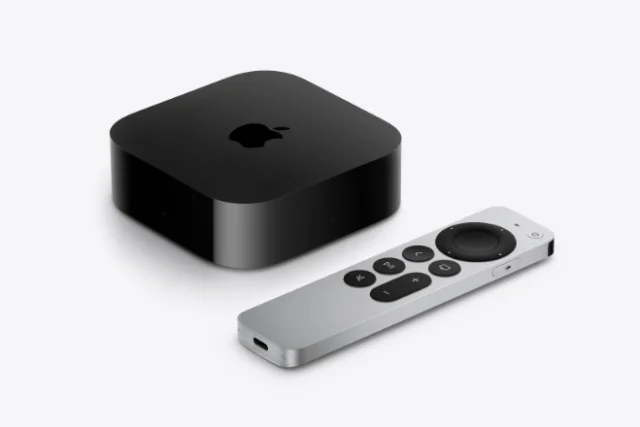
Apple's tvOS 27.2.1 matters most if you own a second- or third-generation Apple TV 4K. It switches on Siri AI for those boxes, so the assistant's conversational replies and improved content search no longer depend on buying the newest hardware. Here's the thing, though: the feature doesn't run on the set-top box alone. Whether it works in your living room depends on a phone or tablet sitting nearby, and on how you summon the assistant.

What Siri AI actually does on the TV
Apple describes Siri AI as the next generation of its voice assistant, built on advances in Apple Intelligence. On a compatible Apple TV 4K, the company says it offers more conversational responses, can draw on personal context, and handles searches for movies, shows and other content more intelligently. Results appear in a full-screen interface on the television rather than as a small overlay, which makes sense when you're asking open-ended questions from the couch and want to scan several answers at once.
The feature is labeled beta. That matters for expectations: it's a preview of how Apple wants the assistant to behave, and the rough edges you'd normally find in early software are part of the deal. At launch, it's available in English in the United States, Australia, Canada, India, New Zealand, Singapore, South Africa and the United Kingdom.
Who gets it, and who doesn't
Support starts with the second-generation Apple TV 4K, released in 2021, and runs through the third generation. Those owners need to install tvOS 27.2.1 before anything appears. The new fourth-generation model gets Siri AI through its initial software, so it doesn't need a separate update.

The first-generation Apple TV 4K and the Apple TV HD are left out. They aren't supported by tvOS 27, so they won't receive the feature. If you're holding one of those boxes and wondering whether the upgrade case is getting stronger, this update adds another data point: Apple's newest assistant is arriving on hardware from 2021 onward, and anything older is being drawn into a clear cutoff.
The phone is part of the setup
This is the requirement that will catch people out. Siri AI needs a nearby paired device that already supports the feature, such as an iPhone 15 Pro or later, or a compatible iPad. That device has to be in the room and signed in with the same Apple Account as the Apple TV. Without it, the set-top box won't activate the assistant, regardless of how current its software is.
In practice, that makes Siri AI a feature of the household's Apple ecosystem rather than of the TV alone. A family with an older iPhone or an Android phone will find the experience doesn't reach the living room in the same way. My read is that most people who buy into this will already have a recent iPhone, but it's worth checking before you assume the upgrade will work end to end.
Remote behavior differs by model
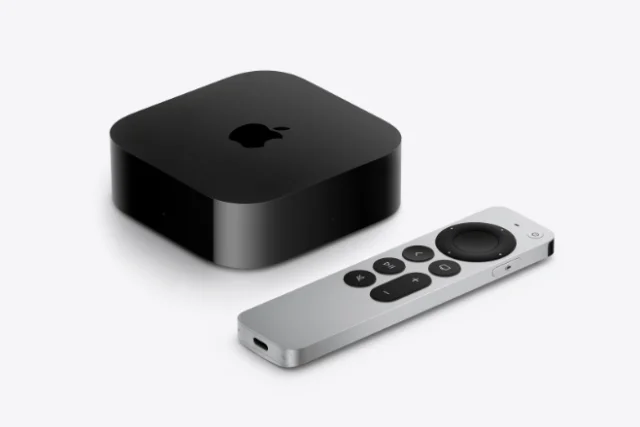
The second- and third-generation boxes rely on the Siri button on the remote. You press and hold it to make a request. Only the fourth-generation model includes far-field microphones, which allow hands-free "Hey Siri" activation from across the room. If you were expecting voice commands without touching the remote on an older box, that isn't part of this update. It's a meaningful difference, and it's one of the clearer reasons to consider the newer hardware if voice is central to how you use the device.
Installing the update
To get the update, open Settings, go to System, then Software Update, and choose the option to download and install. Once tvOS 27.2.1 is on the box, Siri AI can be turned on from the Siri section in Settings. The release also includes a set of security fixes, so there's a reason to install it even if you don't plan to use the assistant right away.
The HomePod side
Apple released a companion HomePod 27.2.1 update on the same day. Early reports point to bug fixes and performance work rather than any Siri AI support, so don't expect the speaker to pick up the new assistant from this release. If you're running a HomePod alongside the Apple TV, the update is worth installing for stability, but the headline feature stays on the TV side for now.
What to watch next
Siri AI showing up across several generations of Apple TV 4K hardware widens its reach beyond the newest box. That's the practical good news for owners who bought in 2021 or later. The trade-off is that the experience still hangs off the wider Apple device lineup, with a phone or tablet close by and the same account signed in. Watch for how the beta matures, whether more languages and regions arrive, and whether the hands-free voice features ever come to the older remotes. Those three things will decide whether a second- or third-generation box stays a good buy for the next few years, or whether it becomes the point where the fourth-generation model makes more sense.