First day cover ·
Twine Review: A Free, No-Code Way Into Interactive Fiction
Twine is a free, open-source tool for branching stories that runs in a browser or on the desktop. It's easy to start with, but it has real limits for game makers.

If you have a game idea but no programming background, the usual options look intimidating. Unity and Unreal Engine both offer free tiers, and they can handle sophisticated logic and layered systems. GameMaker and RPG Maker have served 2D fans for decades. Each one, though, assumes you're comfortable with real programming languages. Twine takes a different route. It's built for interactive fiction and text-based games, and it asks you to think like a writer first.
What Twine actually feels like
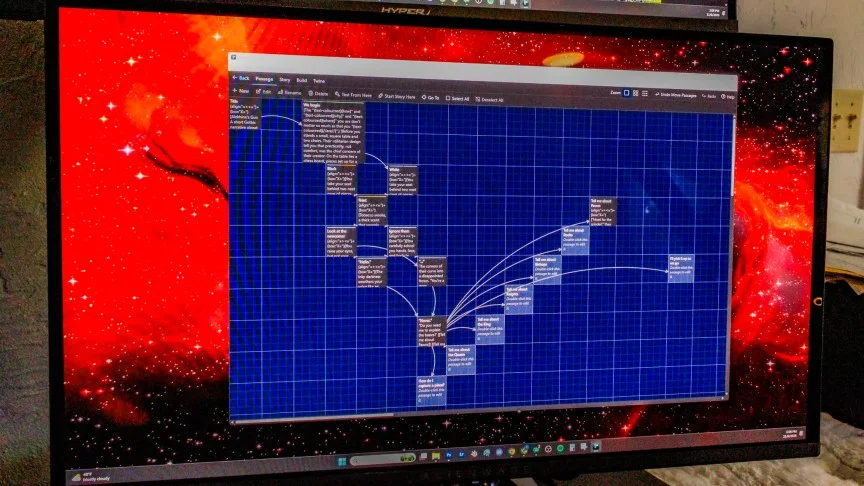
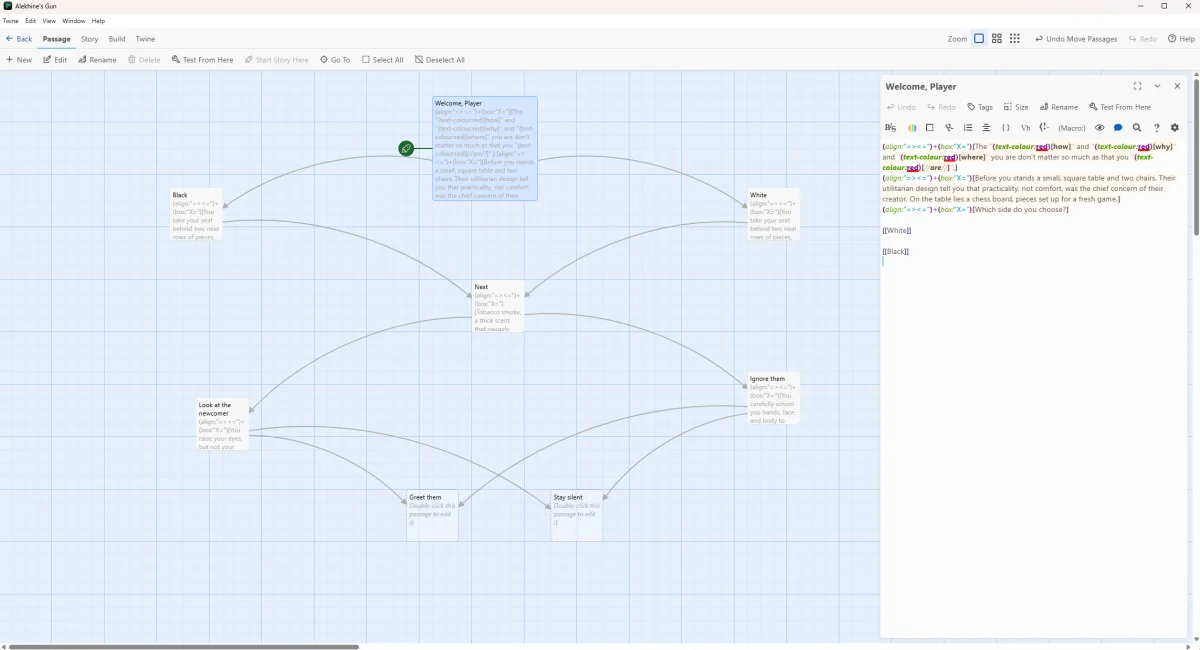
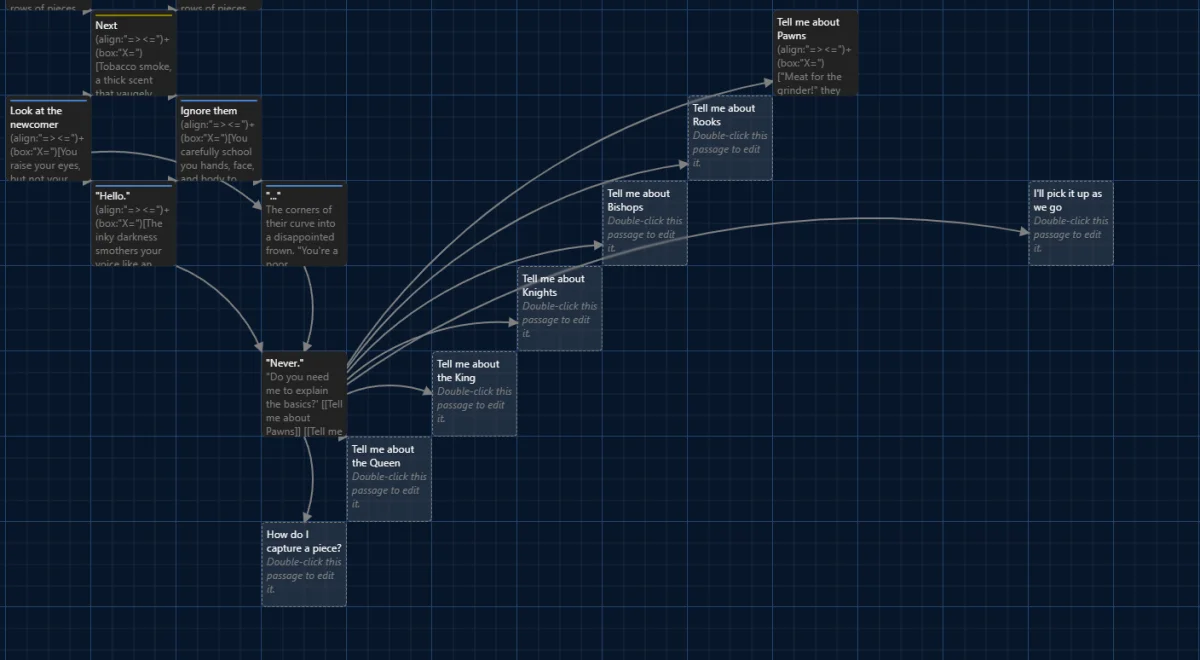
Twine is a desktop-style browser app that looks more like an outlining tool for novelists than a game engine. Each section of your story is a "passage," shown as a tile you can drag anywhere on a canvas. Arrows connect the tiles, so you can see at a glance where a branch leads and where it dead-ends. That visual layout is the real selling point. Mapping a branching conversation on paper usually turns into a mess of crossed lines. In Twine, you rearrange tiles until the structure makes sense.
Under the hood, Twine runs on HTML. You don't have to write any of it to get started, but the code is there if you want it. The program can display the full source for debugging and fine-tuning, which matters once your projects grow beyond a few dozen passages. If you learned HTML during the MySpace customization era, you'll find the basics come back quickly. If you didn't, you can learn as you go.

The Twine Cookbook is the best companion you can keep open. It's a free, community-written guide covering setup and a long list of example recipes: loading screens, RPG and combat elements, visual novel techniques, and branching narrative patterns. For a beginner, it's the difference between guessing at syntax and copying a working pattern you can then modify. It also includes step-by-step instructions for publishing to an Itch.io store page, which is where most Twine games end up.
Browser or desktop, and what you give up
You have two ways in. The browser version is the fastest start: open it and begin. The desktop version is downloadable from the Twine project's GitHub releases page and comes in builds for Windows, macOS, and Linux. The desktop app is nearly identical to the browser version, so if you start online and later want offline work, you won't need to relearn anything. Importing is a handful of clicks.
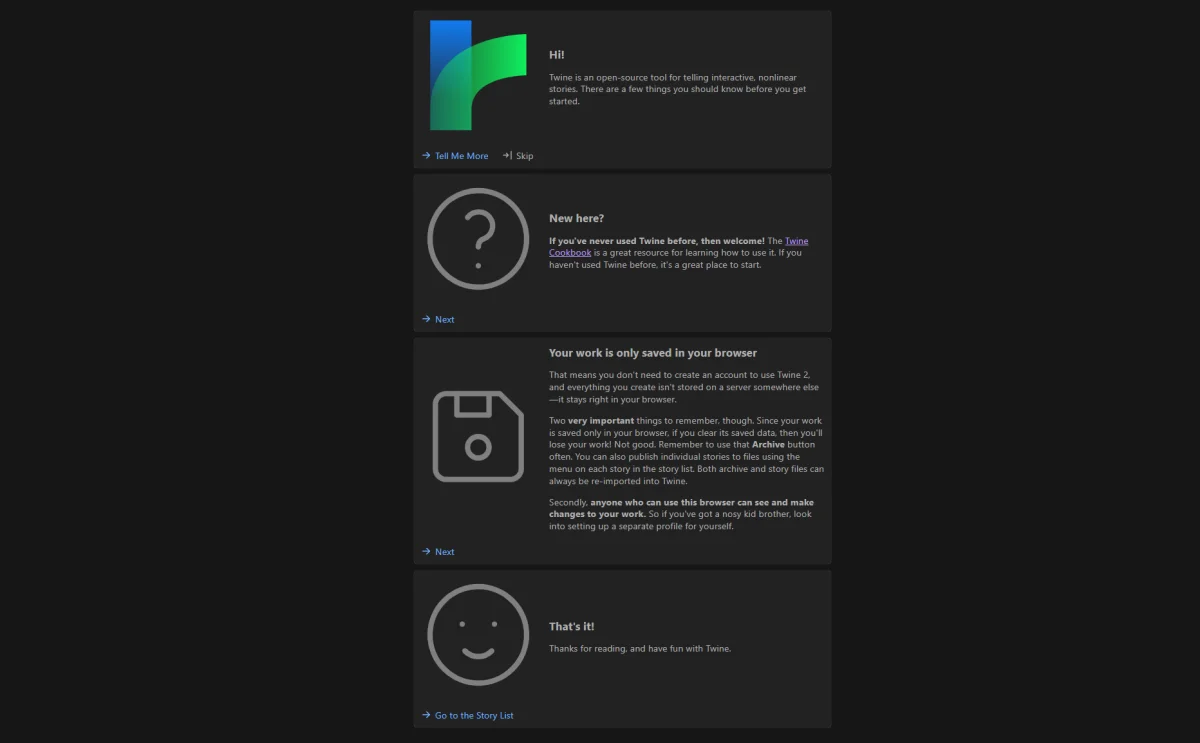
The catch is storage. The browser version saves your work in the browser itself. Clear your browser's data and your project can disappear with it. The app warns you about this, and the advice is simple: use the Archive button regularly and keep backups. Treat the browser build as a sketchpad until you've exported something you trust.
Free, open source, and no AI in the mix
Twine is free and open source. That has practical consequences. You get regular updates, including bug fixes and interface tweaks. You can read the full source code, fork it, or build your own tool on top of it. If building from source sounds like too much work, you can find modified versions on GitHub.

The open-source model also tends to produce a useful community. Twine's users include modders and contributors who run into the same problems you do. If you hit a strange bug or want support for a specific game element, there's a decent chance someone has already worked on it. There's also a community Discord for real-time help, and a gallery of featured projects that makes a good source of ideas. Those range from straightforward visual novels to ambitious multimedia pieces.
On the AI question, Twine doesn't include generative AI in either the browser tool or the desktop app. The Interactive Fiction Technology Foundation (IFTF), the non-profit that operates Twine, hasn't publicly taken a position on AI as far as the source reports. But the tool's purpose sits awkwardly with generated content. The IFTF's mission centres on helping writers protect and share their work, and AI-generated material generally can't be protected under copyright or trademark rules. That's a reasonable reason to expect the tool to stay human-driven. Read it as an observation about fit, not as a company promise.

Story formats: pick your level
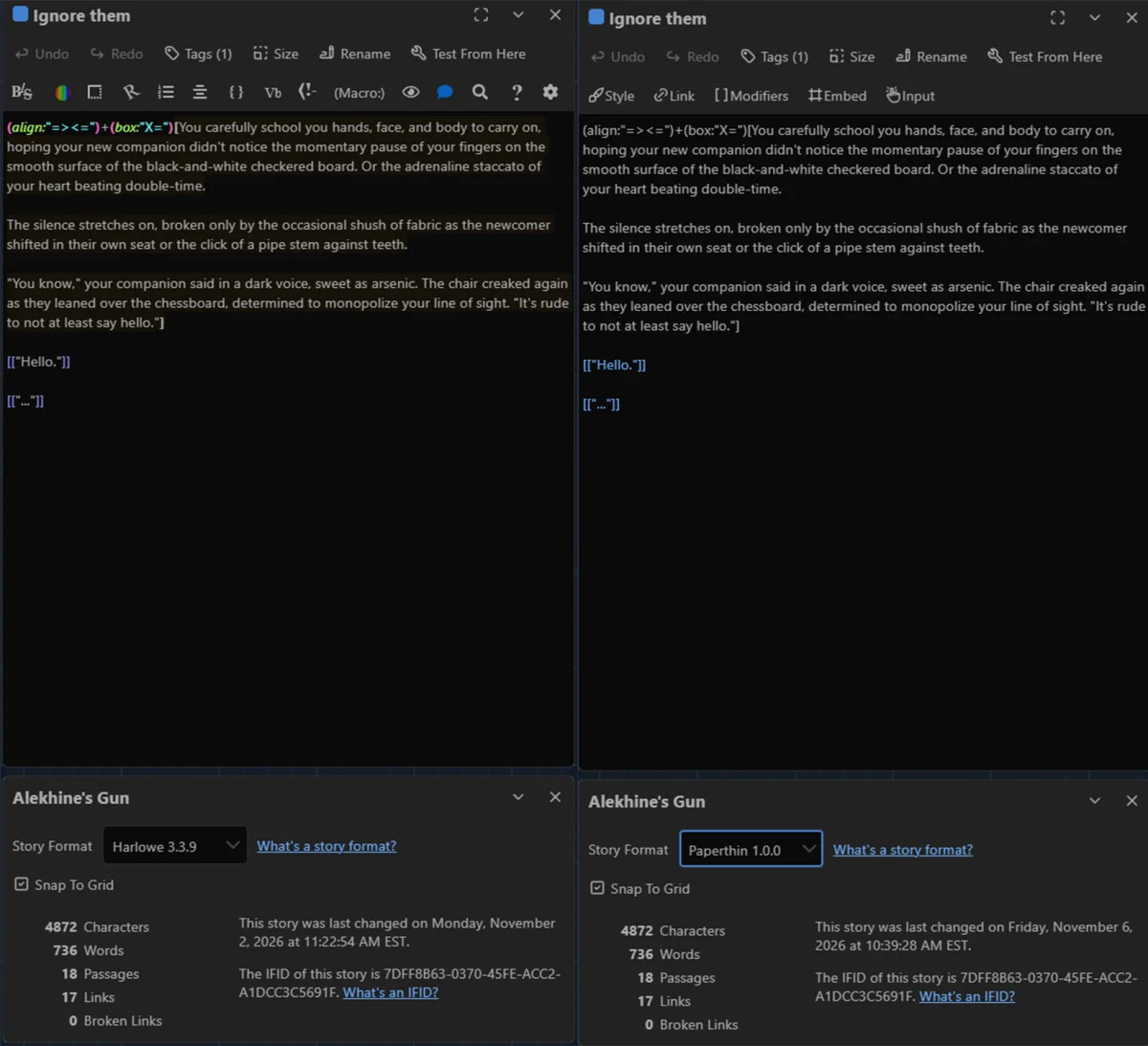
Twine lets you choose a story format, and the choice shapes what you can do. Harlowe is the most capable. It supports font colours, bold and italic text, and hyperlinks, which lets you convey tone and emotion when you don't have music or art to help. Its editor also includes a drop-down of HTML macro strings. Choose a macro and Twine inserts it into your passage, so you can see the code and its result side by side. For someone relearning HTML, that's a strong teaching feature.
Chapbook, Paperthin, Snowman, and SugarCube go the other way. They remove colour and text alignment, and they drop the macro menu. That makes them better suited to experienced writers and developers who want a plainer foundation and prefer to write their own logic. If you're starting out, Harlowe is the sensible default. Switching formats later is possible, but it's worth knowing your options before you commit to a structure.

Building logic without writing code
This is where Twine earns its reputation. Passages connect through links, and you can build branching paths, consequences for player choices, and even probability outcomes. The command strings can send players into time loops, force them down specific paths, or add randomness that raises the stakes. Setting these up takes some trial and error, mostly because you're learning how the passage syntax behaves. Reference the Cookbook and the format documentation, and the patterns start to click after a few projects.
The color-coded tag system helps here. Tags let you mark passages as interactive, expository, or plot-advancing, and the colours make the canvas easier to scan. Used well, tags are your main organisational tool. That matters, because the outline-style layout is only as useful as your labelling.

For someone who thinks in structure, the drag-and-drop model is hard to beat. You can arrange passages into almost any shape, group them by scene, and see the whole narrative at once. The learning curve is gentle at the start and steeper as your projects grow. Pick it up in an afternoon, and it can take months to use everything well.
Here's the thing about Twine's ceiling, though. It's perfectly suited to the narrative side of a game. It isn't a general-purpose game engine. If your plans involve complex physics, detailed 3D worlds, or systems that depend on real-time behaviour, you'll outgrow it. Plenty of developers use Twine to prototype a story before moving the finished script into a more capable engine. That's a sensible workflow.

Where Twine gets frustrating
Media is the weak spot. You can add music and images to a Twine project, but the browser and desktop apps don't handle the job directly. Instead, you export a test build, open its folder, drop in your image or audio files for the specific passage, then re-import the build for testing. Sometimes it works first time. Sometimes it doesn't, and you're left guessing why. Not every image or audio format plays nicely with modern HTML, so a clip can refuse to cooperate even after you've followed every step.
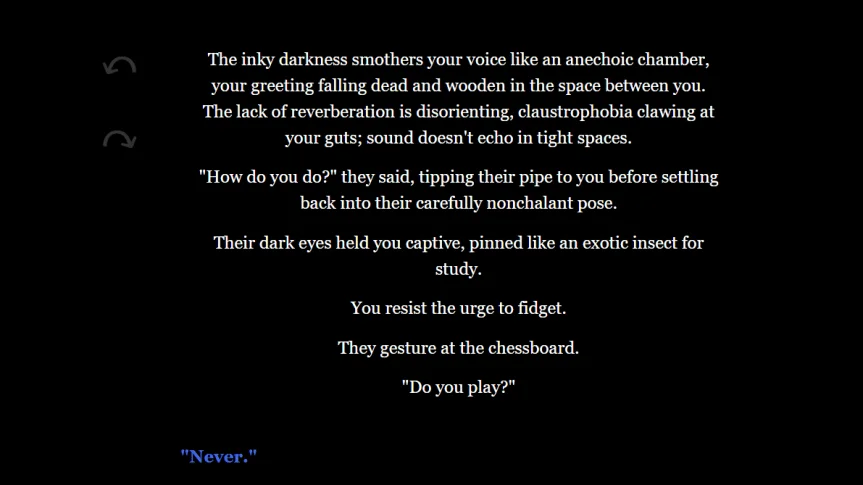
My read is that you should use this workaround sparingly. Save media for the moments that earn it: a jump scare, an emotional beat, a hidden secret. Trying to score every passage this way will eat your afternoon.
Organisation is the other gap. Twine has no native way to group passages into chapters or acts. Once a project sprawls across hundreds of modules, navigation gets harder, and the tag system is your only real safety net. You can colour-code and label, but you can't create supergroups that lump scenes into larger units. If you plan a long project, set up a naming and tagging convention early and stick to it.
And if you want complete control over every part of game development, Twine won't give you that. It's a tool for writers who want to build interactive stories, with some room for light game mechanics. It isn't a studio pipeline.
Preservation and project IDs
Interactive fiction has a preservation problem. Projects posted to personal accounts or small websites can vanish if a host shuts down or gets compromised, and the games can become lost media. The IFTF's role here is practical. It offers guidance on keeping ownership of your work and on long-term preservation. It doesn't provide grant funding for new games, so don't expect money. But for creators trying to work out how to host and keep control of a project, that guidance is useful. Twine and the IFTF also assign each new project a unique ID number, which works something like an ISBN for a book. According to the source material, that gives creators a way to establish their work's identity and supports protection against plagiarism and IP theft. Treat that as a helpful feature for documenting authorship, not as a substitute for proper advice about your own rights.
The IFTF is a non-profit that maintains the tech infrastructure interactive fiction writers depend on, and that's a point in its favour. Tools like this stick around only when someone keeps them running. A donation-funded, open-source project with an active community is a good bet for the long haul, though it's still worth backing up your files.
Who should try it, and what to try next
Twine is a strong starting point if you want to write branching stories, test narrative ideas, or try your hand at a text adventure in the style of the MS-DOS era. It's a good fit for writers who've never touched code and for developers who want a quick sketchpad for a story. You can build something that feels like a spiritual successor to Zork, complete with pen-and-paper maps and inventory tracking, without learning a programming language first.
If your ambitions grow, that's the moment to look at the next tier. RPG Maker and GameMaker can take on more mechanical complexity. Unity and Unreal Engine give you the most power and the steepest learning curves. The useful thing about starting in Twine is that it lets you test whether a story works before you commit to a heavier toolchain. If the narrative holds up on a canvas of linked passages, you'll have a clearer idea of what the bigger engine needs to do.
The first project I'd suggest is small: a dozen passages, two endings, one hidden path. Finish it, export it, and see how it feels to play. You'll learn more from one complete branching story than from a month of planning a sprawling one. And you'll know quickly whether Twine's trade-offs suit the way you work.