First day cover ·
Workbench Brings Claude Code Project Tracking, Remote Control and Brain Dumps to One Mac App
Workbench is a free Mac app for managing multiple Claude Code projects, with remote control from another Mac and monitoring from iPhone and iPad.
Agentic coding has changed faster than most developer tooling. Two years ago, the typical request was a small edit to a single function, and the agent would get it wrong about half the time. Today people hand agents work that takes minutes or hours, and the agents split that work into sub-agents, task lists, commits and pull requests. Even skeptical developers who have been writing software for decades are now impressed by what these tools manage. The question for buyers and power users is whether the tools around the agent have kept up. Developer Matt Birchler built Workbench because the options he tried didn't fit how he works, and it's now in beta.
One detail matters before anything else: Workbench only works with Claude Code. You'll also need a Claude subscription to sign in, since the app does nothing without one.
The sidebar is the real product
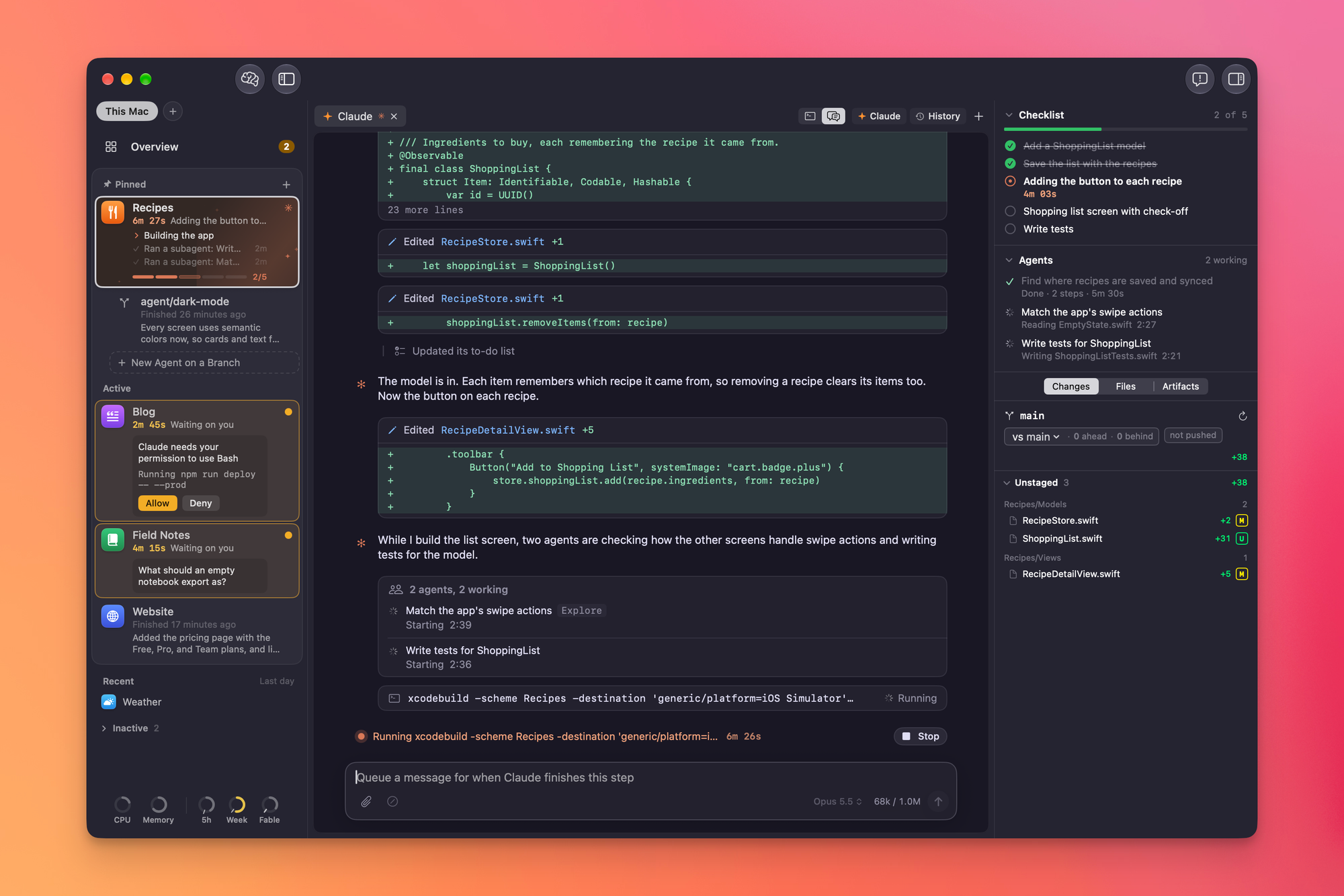
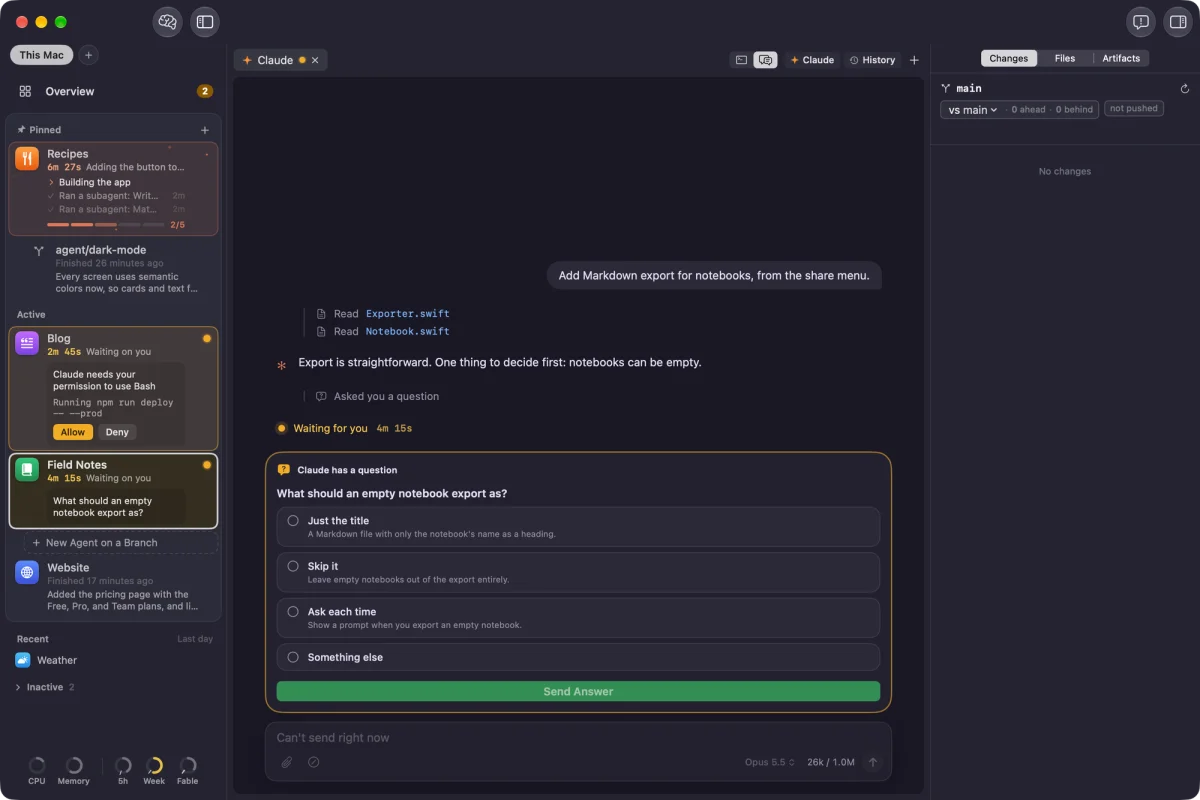
The left sidebar lists every project and sorts it into active, recent and inactive groups. Projects move between those groups automatically as you use them, and you can pin the ones you don't want to lose sight of. When Claude is working in a project, that project gets an animated orange background, plus text and progress indicators that show how the run is going. If Claude needs permission for something, you can allow or deny it right there. Questions from the agent appear in the same spot. When a project finishes its goals, it turns green, which tells you it's ready for a look.
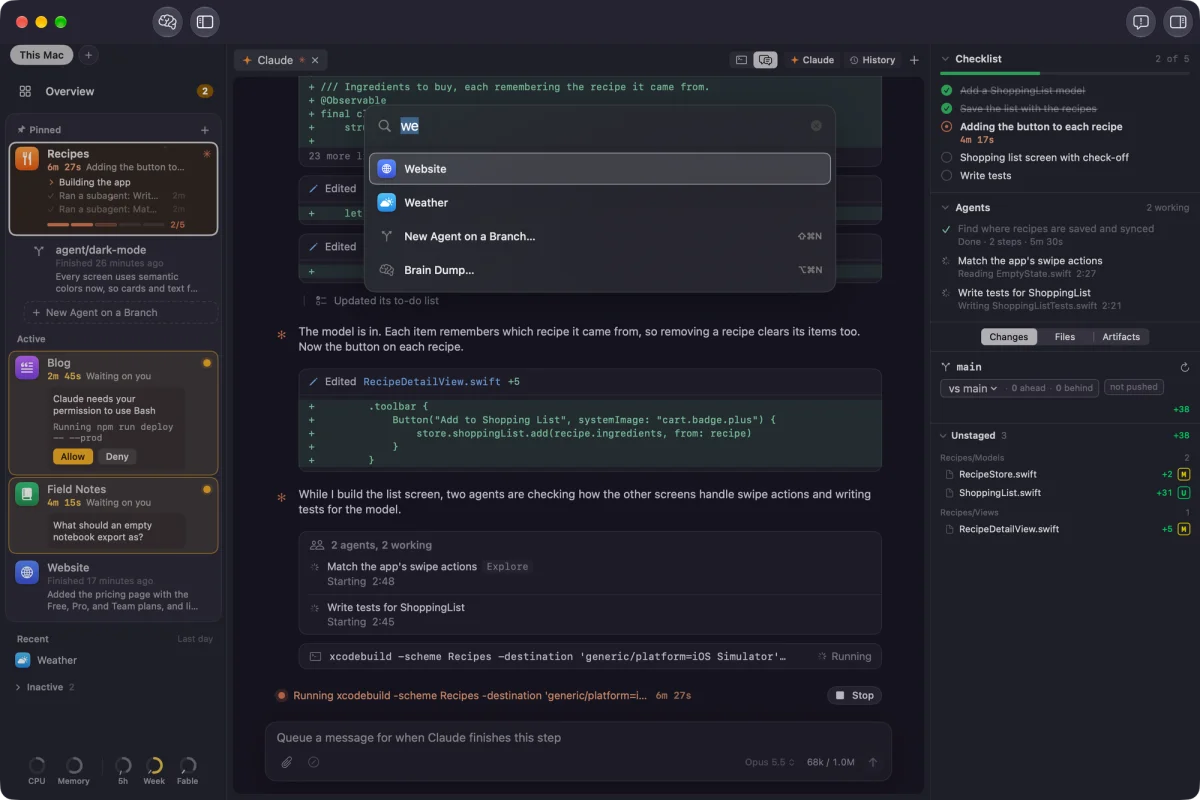
The right sidebar covers whichever project you have open. It shows Claude's checklist and the status of any sub-agents it has started. It also lists file changes and commits, with full diff views, so you can review what changed without leaving the app. You can browse project files and open artifacts the agent created. Birchler is candid that he doesn't read every line Claude writes. He says there are still moments when he needs to check the code against what was promised, and that's where this panel earns its space.
Controlling a Mac from another Mac
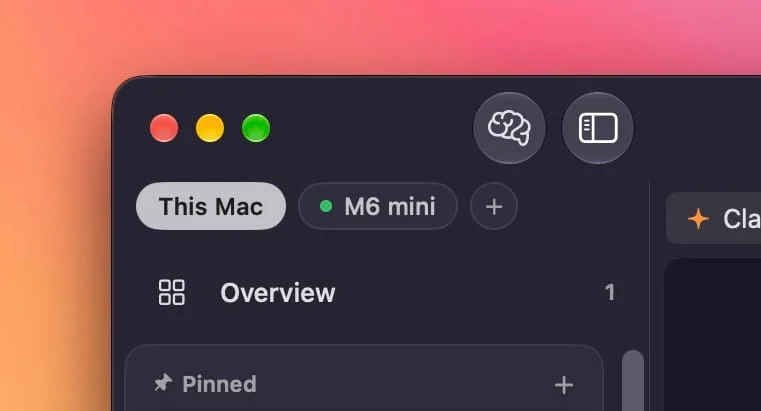
This is the feature that makes the app stand out for me. Workbench can link to a second Mac that's also running Workbench. From your main machine you can monitor those projects and fully control them, and the developer says everything you can do locally works on the remote machine too.
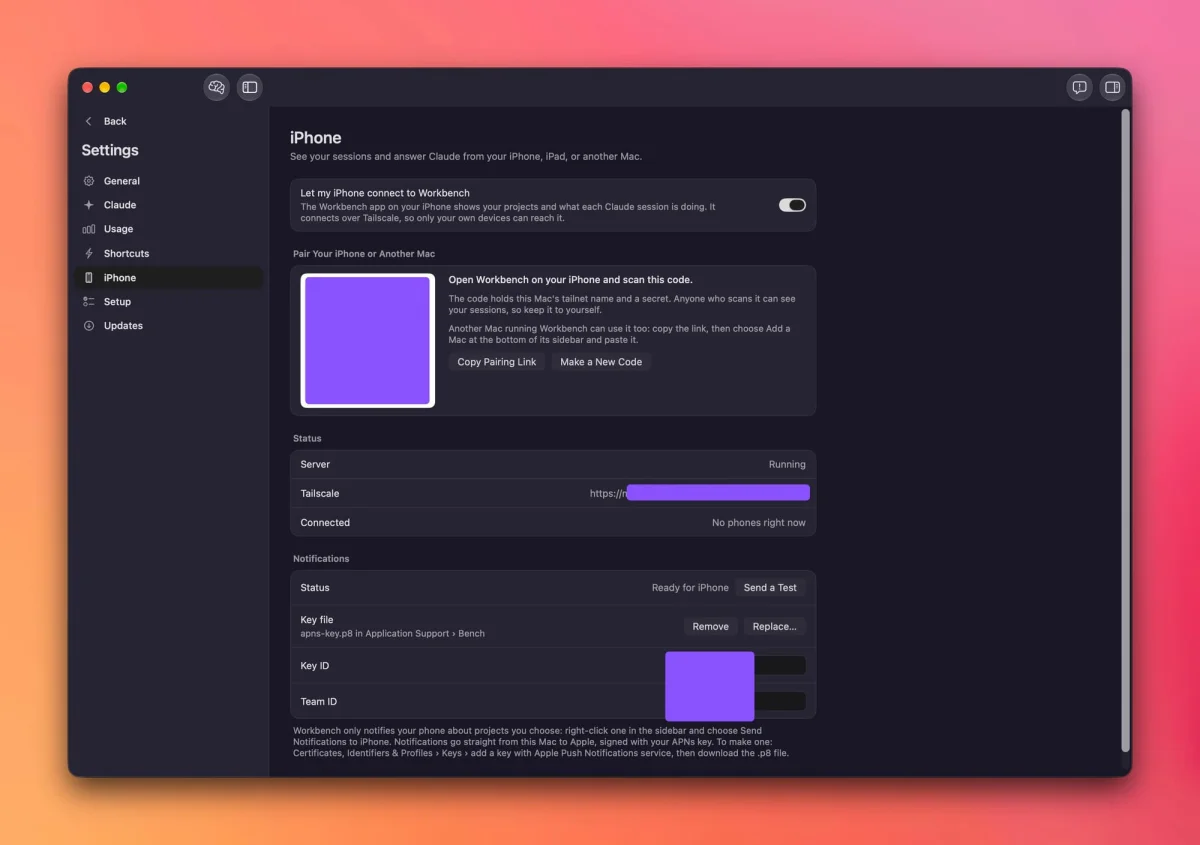
The obvious use case is iOS development. Simulators and builds are heavy, and they can drain a laptop's battery and slow it down. Build and test on a headless Mac Mini, and keep the laptop for everything else. Pairing is simple: install Workbench on the Mini, open Settings, go to the iPhone section (the developer says it will be renamed soon), copy the pairing link, and paste it into Workbench on your laptop.
Checking in from iPhone and iPad
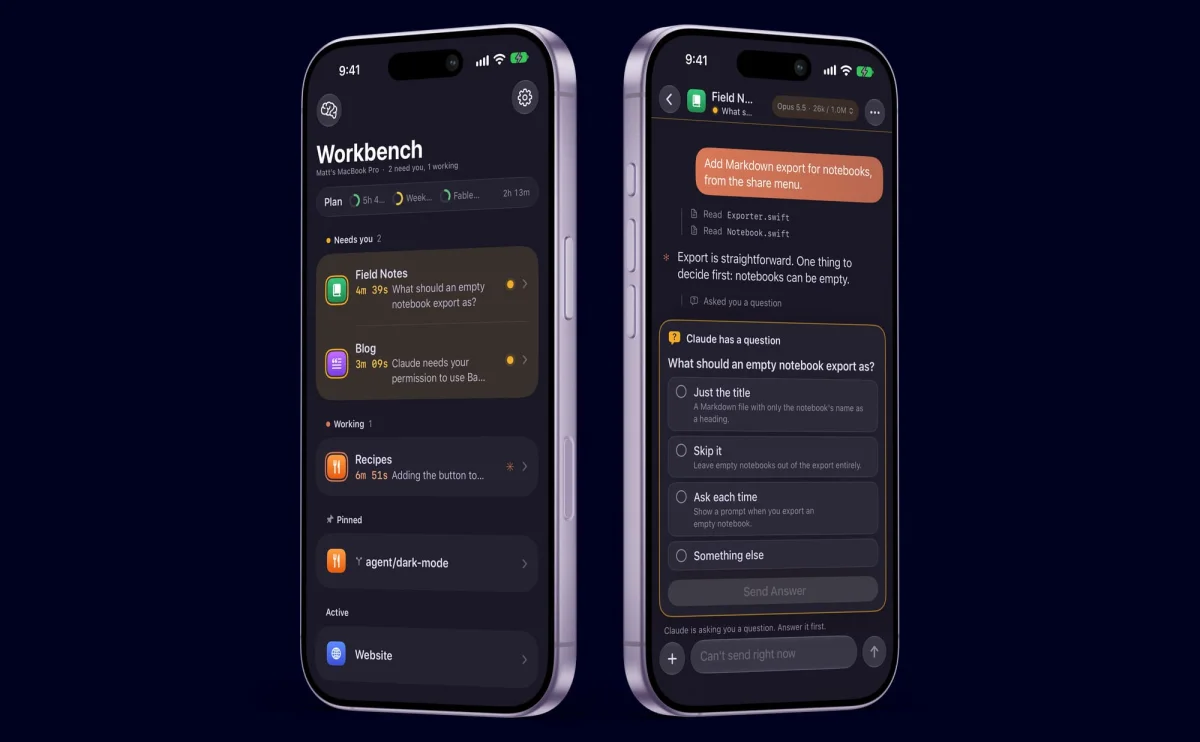
Here's the practical problem this solves. You set Claude off on a task and go for a walk. Sometimes the result is waiting when you get back. Other times Claude hits a snag or asks a question thirty seconds after you leave the desk, and then it sits idle until you return. Pair an iPhone or iPad with a Mac running Workbench and you can check on projects, get push notifications when Claude needs you, and follow a live activity that summarizes progress.
You can't run Claude Code on iOS, and the app doesn't pretend otherwise. Remote requests from the iPhone or iPad app feel close to running the session yourself. Birchler recommends setting up Tailscale on both the Mac and the phone so they can find each other when they're not on the same network.
Claude Code already has a remote control mode that opens a session in the Claude iOS app. Birchler says he doesn't like that workflow and often forgets to turn it on before he leaves. Workbench's version feels more like a coding tool and less like a chat app with code attached.
Brain dump mode
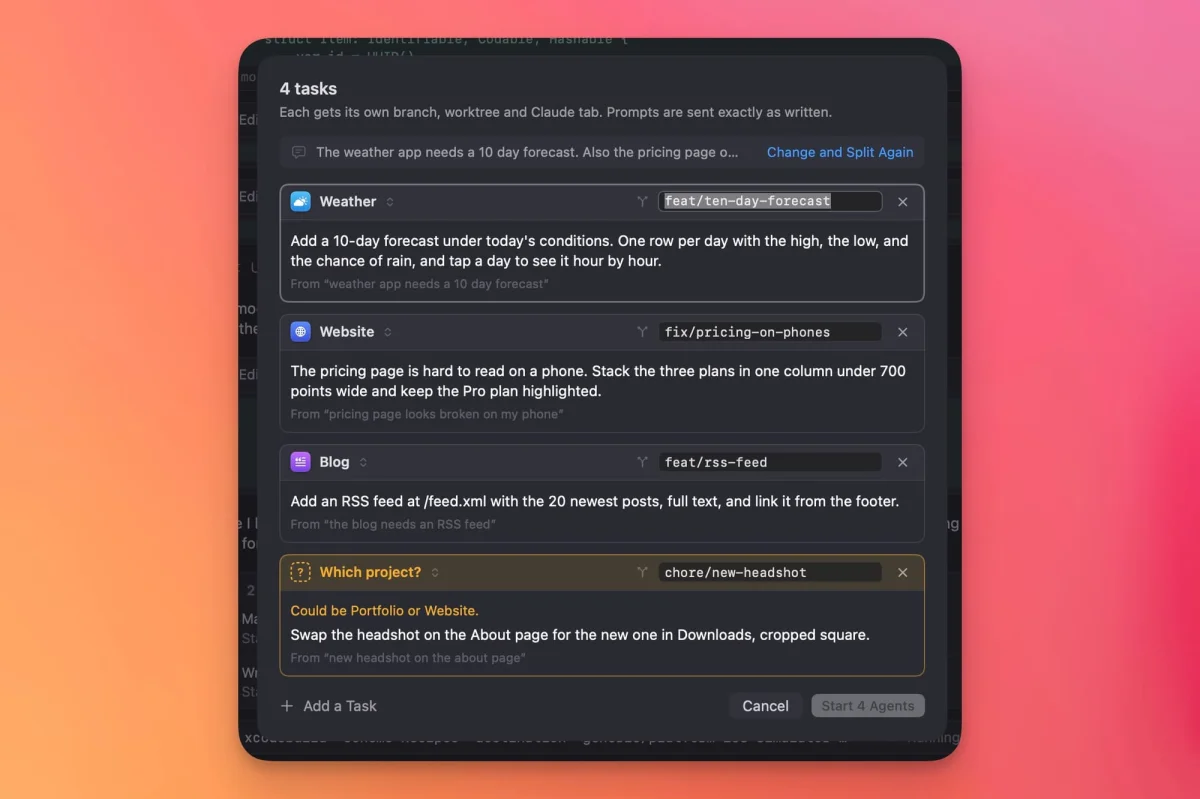
This one is the feature I'd try first. When you have a head full of ideas across several projects, clicking into each one and typing out tasks gets tedious. Brain dump mode lets you dictate for a minute or two. Workbench parses what you said, maps each item to the right project, and shows you the list for review. If it can't tell which project an item belongs to, you assign it. If the wording is off, you edit it. When you're happy, you start the batch, and Workbench creates a separate worktree for each task so the tasks run in parallel.
The worktree choice is deliberate. You can easily end up with several feature requests for the same repository, and each one needs its own branch to run at the same time on one machine. Birchler says this mode is hard to appreciate from a description, and I agree. It's the part that makes the app feel different from a terminal with a few extras.
Keeping an eye on resources and usage
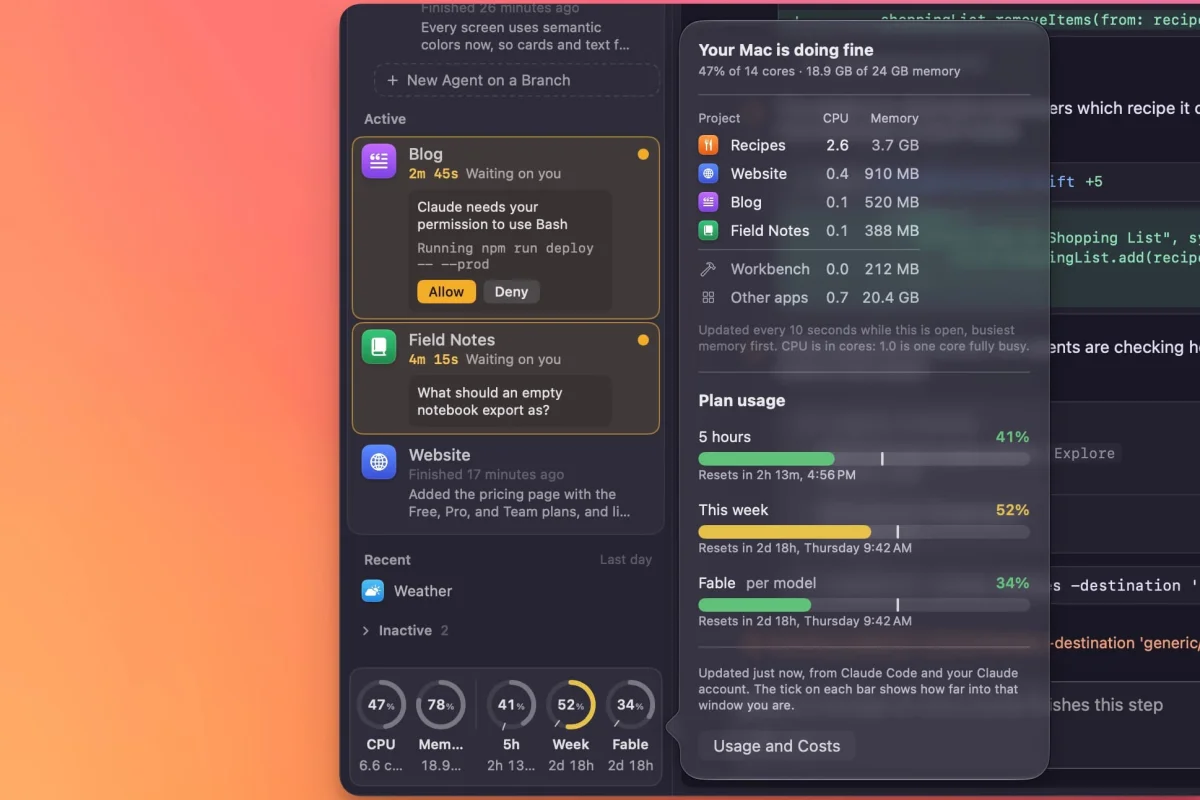
CPU and RAM readouts sit at the bottom of the left sidebar. If one climbs unexpectedly, hover over it to see which projects are using the resources. Birchler says this matters most for iOS work, where a simulator can keep running unnoticed and quietly drain the battery.
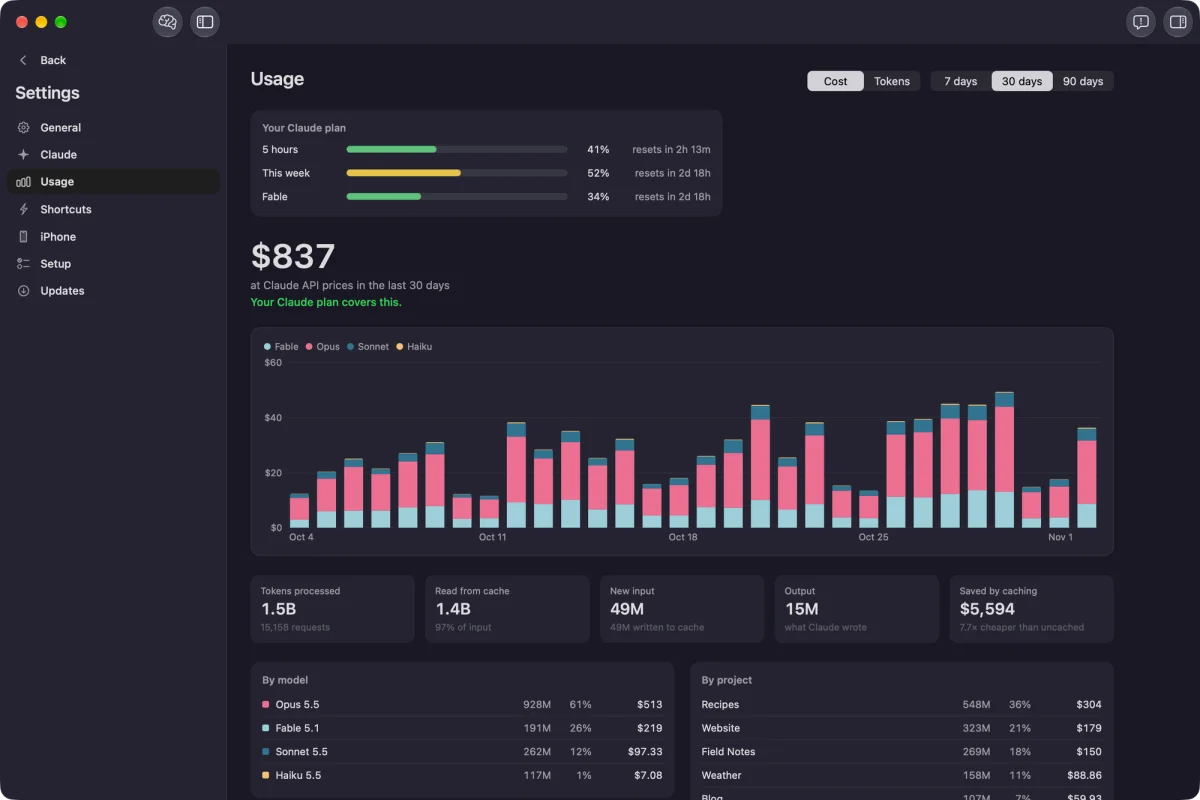
Your Claude limits show up as rings for the five-hour and weekly windows. Each ring has a tick mark showing how far you are into that window, so you can tell whether your usage is on pace to run out before the window resets. A separate settings page breaks down usage by model and by project, and shows what the same work would have cost in API credits if you weren't on a subscription. Birchler built that page for fun, but it's useful for anyone trying to judge whether a subscription is earning its price.
The smaller touches
You can use a traditional terminal view or switch to a chat view. The chat view is easier on the eyes and includes dedicated panels for permissions, questions and artifacts.
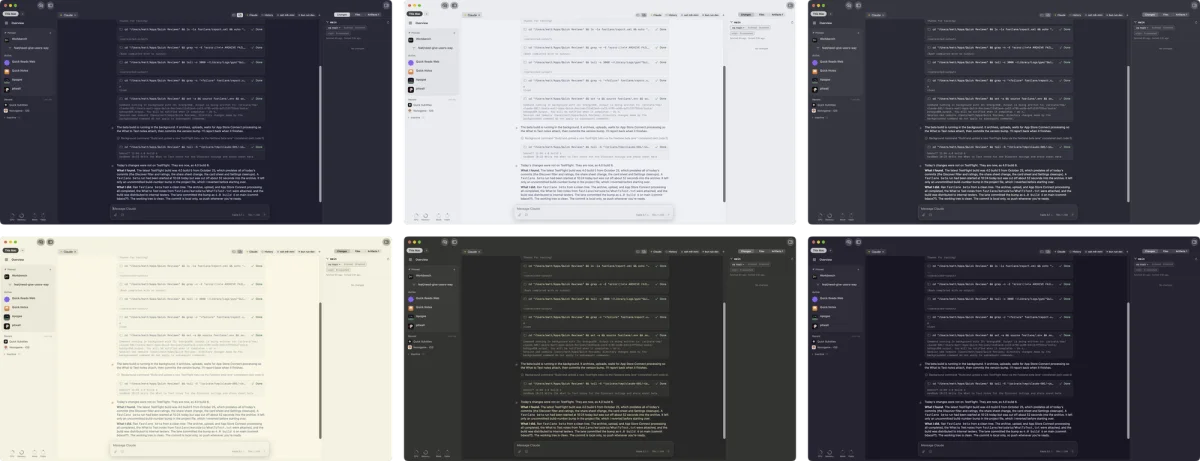
The app is built on libghostty. If you already use Ghostty, Workbench reads its theme and styles the whole app to match, in light or dark mode and with any terminal color scheme. If you don't use Ghostty, you'll get the app's default look.
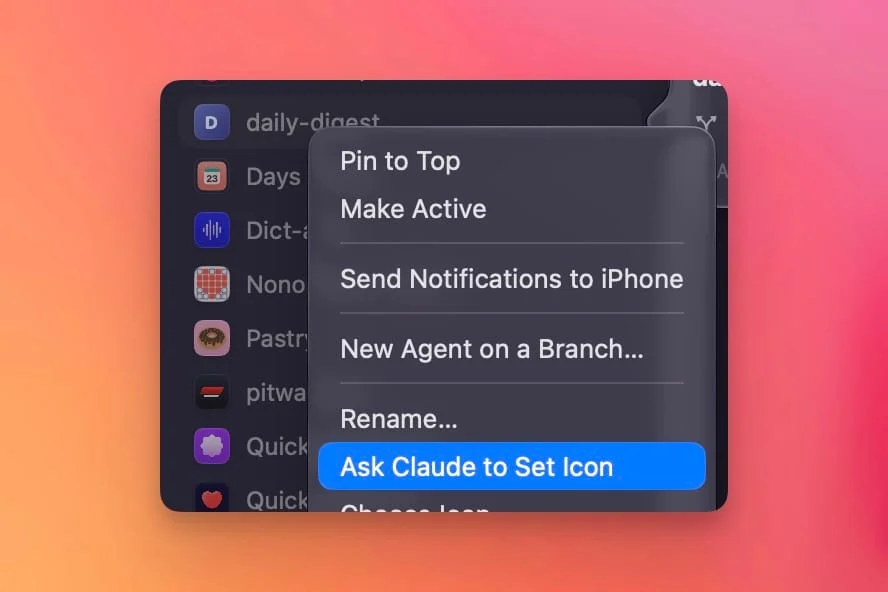
Quitting doesn't wreck your place. Workbench doesn't keep agents running in the background, but when you reopen it, agents usually pick up where they stopped. Command K opens a command bar for jumping between projects, starting a new agent, or launching a brain dump. Workbench can also manage itself: add a project through the file browser, or ask Claude from any session to add it for you. Projects without icons get one detected automatically when you add them. If detection fails, right-click the project and ask the app to look again.
Availability and what to test first
The Mac app is available now as a download from GitHub. It's free, has no login, and needs only a Claude subscription for Claude Code. The developer expects the iOS app within a day or two of this writing, though that timing is his estimate and not a firm date. Because Workbench is still in beta, expect rough edges. If you run several projects or manage a Mac mini for builds, the remote control and brain dump features are where it's most worth your time.


