First day cover ·
YouTube's Quest Redesign Looks Like It's Catching Up With Android XR and visionOS
Hidden entry points in recent Quest YouTube updates suggest a rebuilt immersive view, closer to the Android XR and visionOS apps. It's still in development.
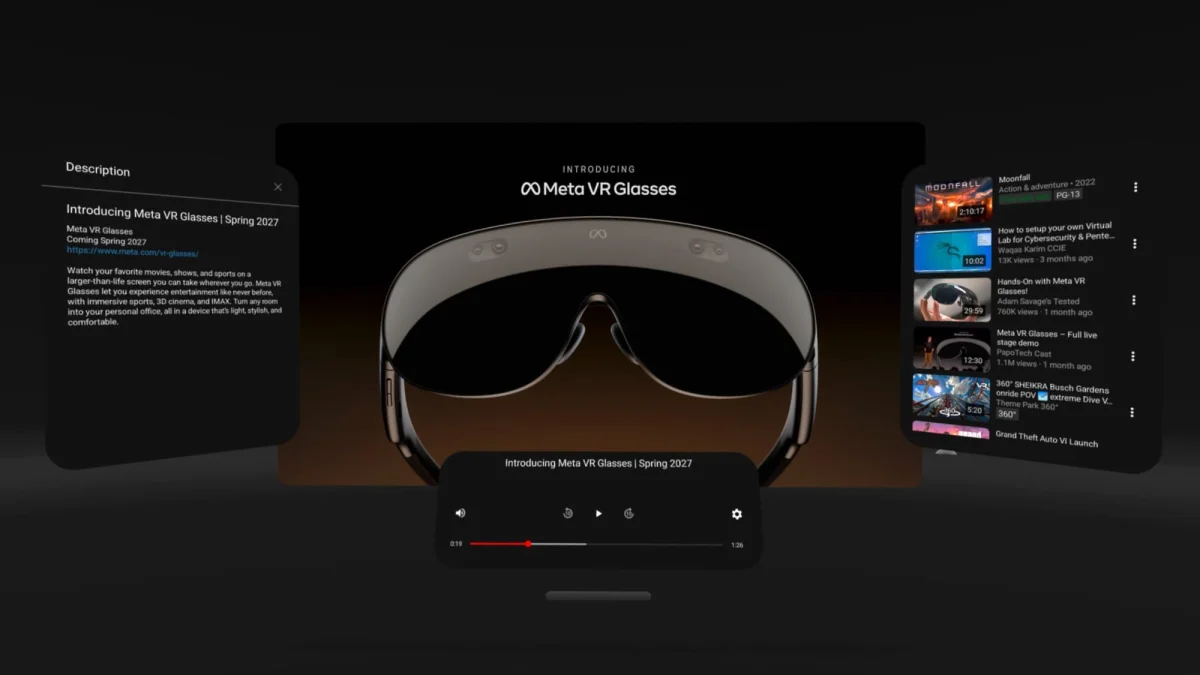
The most interesting YouTube change on Quest isn't something you can use yet. It's what's sitting in the app's recent updates. Entry points found in the Quest version point to a substantial rebuild of the immersive viewing mode, and the direction looks very much like the YouTube experience on Google's Android XR platform.
Why the current immersive view feels dated
YouTube has picked up steady improvements on Meta's standalone headsets, but its core design still resembles the Oculus Go version that launched in 2018. Over the years, the app gained support for higher video resolutions, Mixed Reality wall anchoring on Quest 3 and 3S, and a Panel Mode that opens the app in a 2D window you can run alongside other system apps.
Co-watching was another experiment. Google and Meta tried it, then removed it from Horizon OS during the shift to the Loft VR Home Environment, which started with the rollout of Horizon OS v81 PTC.
Panel Mode received an interface broadly similar to YouTube on Smart TVs. The immersive view, the mode most people use when they want the full spatial experience, was largely left alone. That gap is why this work matters. The part of the app that should feel most native to a headset has been the slowest to change.
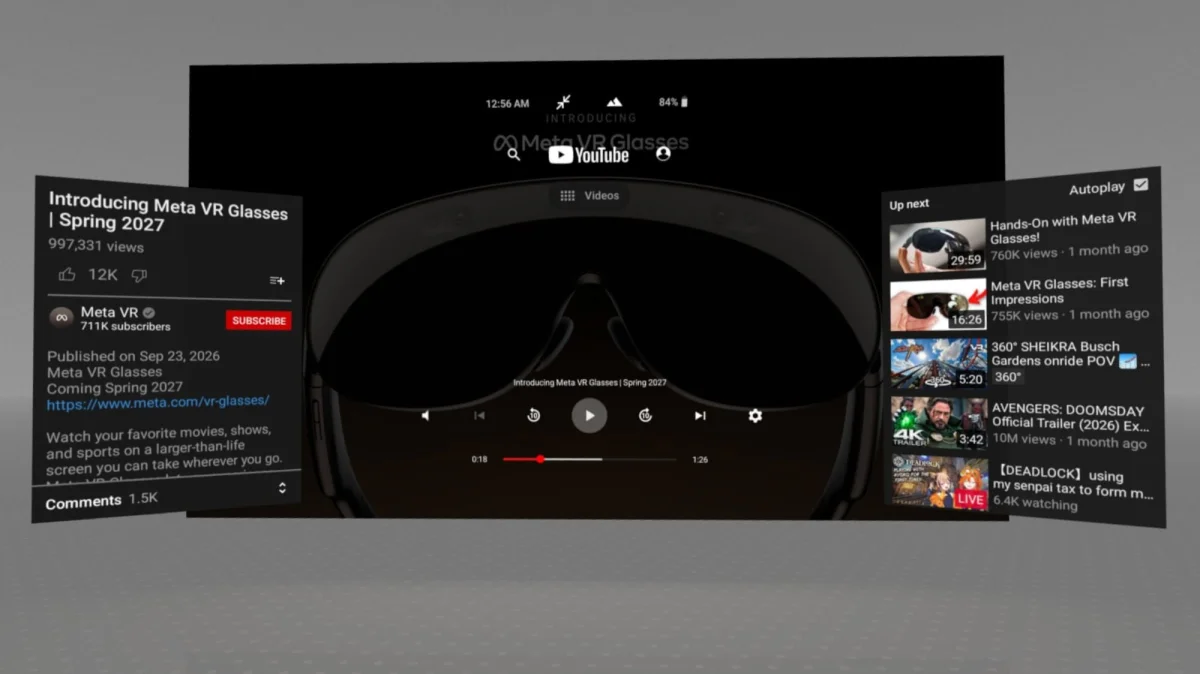
What the in-development version looks like
The new immersive view brings a redesigned UI, with a main window that matches the existing Panel Mode experience. The most visible addition is a Horizon OS-style Control Bar. It handles two jobs: changing the environment and switching between immersive and Panel Mode.
The change I'd watch most closely is the secondary browsing window. It stays open while a video plays, and anything you select there starts in the main window. That turns the headset into something closer to a living-room setup where you can keep browsing without stopping playback, rather than backing out to a menu every time you want something else.
The window management is also more Meta-native. The app now works with the system Virtual Keyboard overlay. The main window gets grab handles and dedicated corner handles for resizing, the same kind you'd find on other Horizon OS windows. It also adjusts its size automatically to match the aspect ratio of whatever you're watching, so a widescreen film and a vertical clip don't both sit in the same frame.
Where it lines up with Android XR and visionOS
The changes look a lot like the Android XR version of YouTube, and the visionOS version that arrived earlier this year. On both platforms, browsing feels like a Smart TV interface, and playback switches to a spatialized UI.
The playback layer on those platforms also includes controls for adjusting the viewing area when you're watching 360° and 180° 3D content. The in-development Quest version doesn't have those yet, so that's the clearest gap between what's being built and what the other XR apps already offer. Whether Meta's version gets them in the final release is an open question.
Reading the timing
References to this overhaul first showed up in the Quest app in late August. That timing fits a broader push by Meta to improve its spatial app tooling and to encourage developers and partners to optimize their apps for spatial operating systems. It also lines up with the upcoming Meta VR Glasses, which Meta has already announced. A glasses platform needs apps that feel finished in a window, and YouTube's immersive mode is one of the apps most people would reach for first.
Still, entry points inside an app aren't a release date. Nothing here confirms when the redesign will reach headsets, and the controls still missing from the Quest build show it isn't finished. My read is that the app is being brought up to the standard Google and Apple have already set for video on spatial hardware, and Meta is shaping the Horizon OS integration around its own window system.
If you mostly watch in full-space immersive mode on a Quest 3 or 3S, this is the update to track. If you're weighing a Meta VR Glasses purchase, it's a useful signal of how much the platform's video experience is maturing. Watch for the 360° and 180° controls to appear in the Quest build. Their arrival would be a good sign that the redesign is closer to shipping.


